What Is an MCP Server, and Why Enterprises Should Care
Model Context Protocol turns your internal APIs into tools Claude, ChatGPT and Cursor can use safely. Here's the enterprise view.
By Artificial Wit Team
Created At: 2026-05-10T00:00:00 Published At (API): 2026-07-04T07:33:49.363939+00:00 Source: Reconstructed from live site via fn_save_website_blog API on 2026-07-05 (no local source draft existed for this post)
--- Have you ever wired a chatbot up to an internal API, only to redo the work three months later for a different large language model? If so, you already understand the problem an MCP server solves. The Model Context Protocol (MCP) is an open standard that lets AI assistants like Claude, ChatGPT, and Cursor discover and call your tools. They can read a record, run a report, or file a ticket, all without a custom integration for every model you adopt. An MCP server is the piece of infrastructure that exposes those tools so any MCP-compatible AI client can use them.
For enterprises evaluating how to connect AI to systems they already run, understanding MCP is quickly becoming as fundamental as understanding REST APIs was a decade ago. This guide covers what the protocol actually is and how it works in practice. It also covers why the protocol matters for enterprise IT and engineering teams, and how it compares to the integration approaches you may already be using.
What Is Model Context Protocol (MCP)?
Model Context Protocol (MCP) is an open standard, introduced by Anthropic in late 2024, that defines how AI applications discover and call external tools, retrieve resources, and use prompts. Instead of building a one-off integration between a specific LLM and a specific API, MCP gives both sides a shared, predictable interface. Any compliant client can talk to any compliant server, regardless of which company built either one.
Think of it as a universal adapter. Before MCP, connecting an AI assistant to your CRM meant writing custom code that only worked for that one assistant. Connect a second assistant, and you write the integration again. MCP replaces that pattern with a standard contract. A server describes its available tools: what they do, what inputs they need, what they return. Any client, whether that's Claude Desktop, a custom internal agent, or a workflow tool like n8n, can read that description and call the tool correctly. No bespoke code required.
Under the hood, the protocol is lightweight and built on JSON-RPC. Servers expose three main primitives:
- Tools: Functions the AI can call, such as "look up an order" or "create a support ticket"
- Resources: Data the AI can read, such as a document or a database record
- Prompts: Reusable prompt templates that guide how a client uses the available tools
A server doesn't need to know which specific AI model is calling it. It just needs to speak the protocol.
How Does an MCP Server Actually Work?
The abstract description is useful, but a concrete example makes it click faster. Here's what happens when a customer support agent asks an AI assistant a question that requires looking up real data.
- The user asks a question. A support agent types, "What's the status of order 48213?" into their AI assistant.
- The assistant checks available tools. The AI client is connected to a server that has registered a tool called `get_order_status`, along with a description of what it does and what input it expects.
- The assistant calls the tool. Recognizing that the question matches an available tool, the AI sends a structured request: call `get_order_status` with `order_id: 48213`.
- The server executes the request. It translates that request into an actual call against your internal order management API. This uses credentials and access rules configured ahead of time, not credentials the AI model ever sees directly.
- The result comes back. The server returns the order status to the AI client, which uses it to answer the original question in natural language.
Nothing about this flow is specific to any one AI vendor. For example, if the support agent switches from Claude to a different assistant next quarter, the same infrastructure keeps working. The tool definition and the protocol didn't change. Only the client did.
Why MCP Matters for the Enterprise
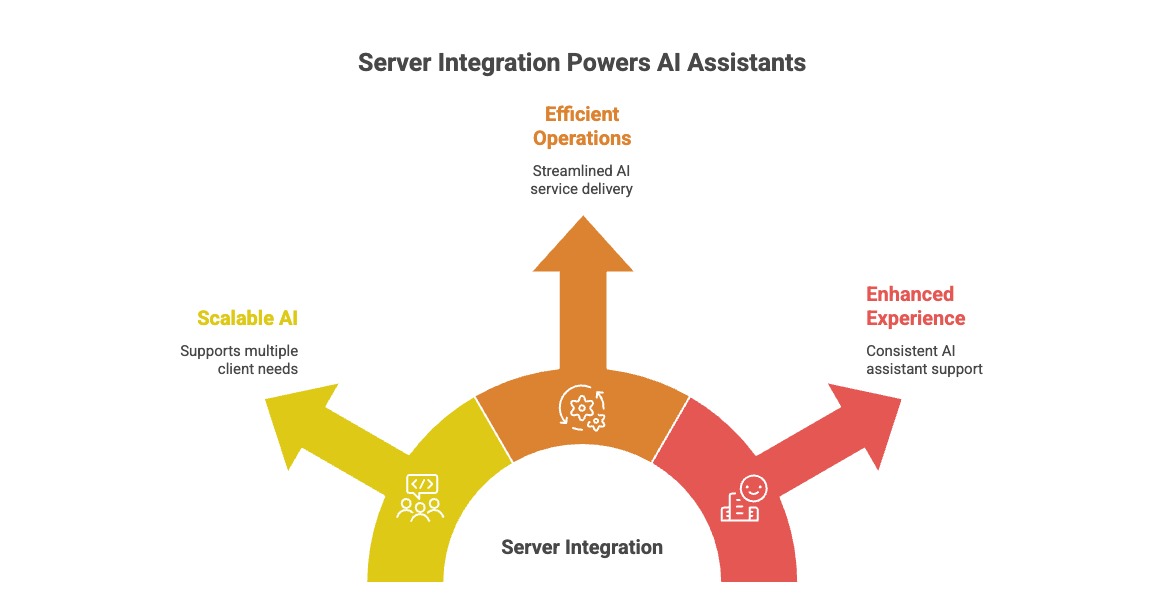
Most enterprise data still lives behind APIs that were designed for humans clicking buttons in a UI, not for language models reasoning over structured tool calls. MCP gives those APIs a uniform front door, with authentication, schemas, and natural-language descriptions an LLM can actually understand. Three specific benefits explain why this matters more as organizations adopt multiple AI tools across departments.
One Integration, Many Clients
Without a standard protocol, connecting several AI assistants to several internal systems means building and maintaining a separate integration for every pair. Add a new assistant, and every existing system integration needs to be rebuilt for it. Add a new internal system, and every assistant needs a new connector.
MCP collapses this. Build the wrapper once for an internal system, and every compatible client — Claude, ChatGPT, Cursor, or a custom internal agent — can use it immediately. The integration effort becomes additive instead of multiplicative.
For example, consider a mid-size company running three AI assistants across support, sales, and internal IT. Each one needs access to four internal systems: a CRM, a ticketing system, an ERP, and an internal knowledge base. Without a shared protocol, that's potentially twelve separate integrations to build and maintain. Every new assistant or system adds another full round of work. Wrap each of the four systems once, and all three assistants connect to the same endpoints. Adding a fourth assistant next quarter means zero new integration work on the systems side.
Centralized Access Control
When each AI assistant has its own bespoke integration, each one typically needs its own credentials and its own access rules. Often it needs its own audit trail too, if it has one at all. That's a governance headache. As a result, security teams end up tracking permissions across a growing, inconsistent set of point-to-point connections.
Centralizing this in one place changes that picture. Access control lives at a single layer rather than being duplicated, and potentially configured inconsistently, across every AI client that connects to it. When a new assistant needs access, it inherits the governance already in place, rather than requiring security teams to re-review a brand-new integration from scratch. That matters most in regulated industries, where every new point-to-point AI integration is another artifact a compliance review has to cover individually.
A Real Audit Trail
Because every tool call flows through one layer, that layer is a natural place to log exactly which model called which tool, with what arguments, and when. That's a meaningfully different security posture than a patchwork of custom integrations, where audit logging may or may not exist depending on which developer built which connector.
MCP vs. Traditional API Integration
It's worth being precise about what this standard replaces and what it doesn't. It doesn't replace your APIs. Your ERP, CRM, and internal services keep working exactly as they do today. What changes is the custom integration layer between an AI model and those APIs.
A traditional integration typically means writing model-specific code. For instance, if you're using OpenAI's function calling, you define functions in OpenAI's schema format and wire them into your application. Add Claude later, and you're not reusing that work. You're writing an equivalent integration in a different tool-use format. Each model has its own conventions for describing and invoking tools, and none of that code transfers.
MCP standardizes the format itself. A tool defined once can be called by any compatible client, because the protocol, not the model, defines the contract. That's the core distinction from model-specific function calling. Function calling defines how a single model calls tools within a single request. This standard, however, defines how any client discovers and calls tools exposed by any server, independent of which model is doing the reasoning.
In practice, many platforms use both together. A client typically translates the tools it discovers into the specific function-calling format the underlying model expects, then translates the model's function call back into a standard tool call. The standardization happens at the client-server boundary, not by eliminating function calling from the picture.
Two Sides of the Same Standard: Servers and Clients
Most discussions of this topic focus on one side: exposing your own APIs as tools so external AI clients like Claude Desktop or ChatGPT can use them. That's the side this article has covered so far.
There's a second side worth knowing about. A platform can also act as a client, connecting out to servers built by other teams or third parties. It can then make their tools available inside its own agents and workflows. This matters once your organization relies on more than one external server. Picture a single client that connects to all of them. It handles whatever transport and authentication each one requires, and it applies consistent access rules across the results. That saves you from configuring every connection by hand in every AI tool your teams use.
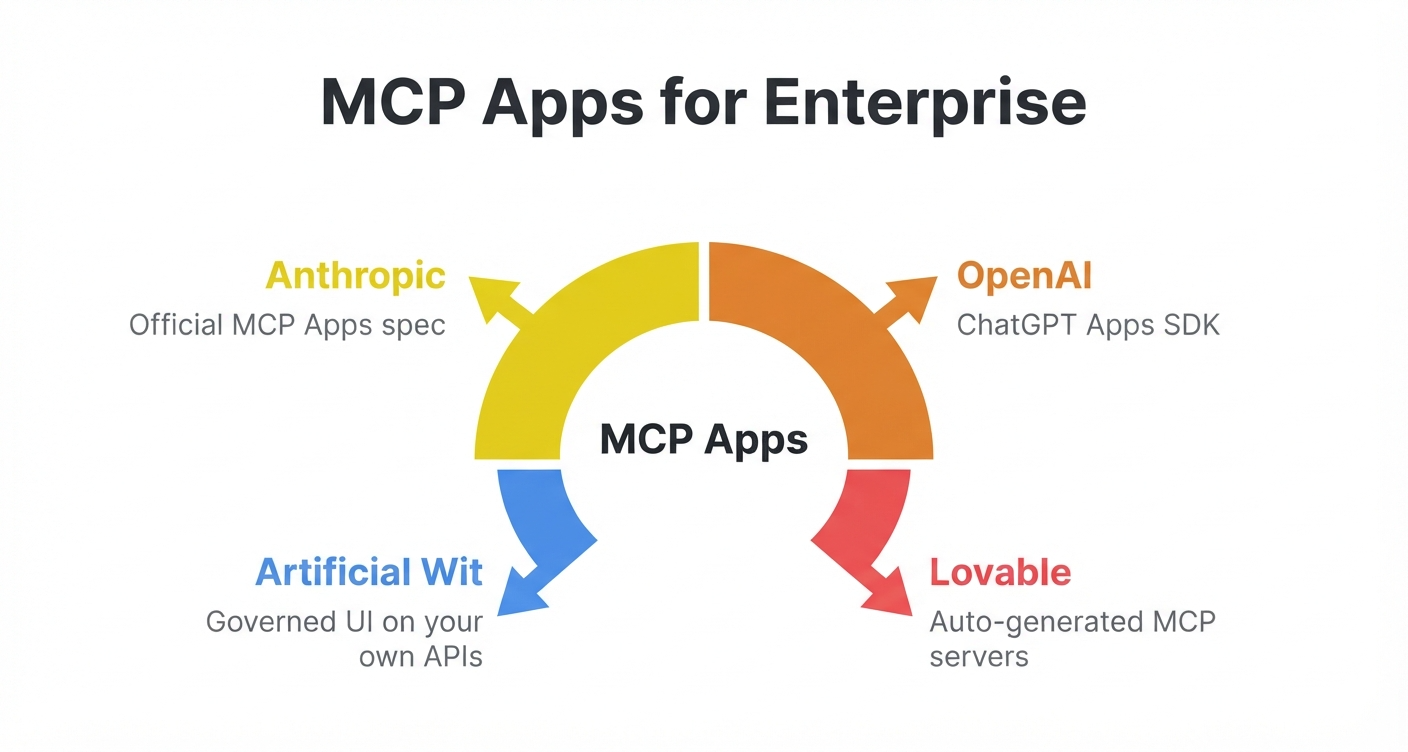
Artificial Wit's MCP page covers this in more detail for teams evaluating both directions of connectivity. MCP client vs. MCP server breaks down that client-side distinction further.
Where Artificial Wit Fits
Artificial Wit AI ships a hosted server that wraps your existing APIs and knowledge base, so you don't need to build or host this infrastructure yourself. Point it at your ERP, CRM, or internal services, and your team can use any compatible assistant on top of it, without writing a separate integration for each one.
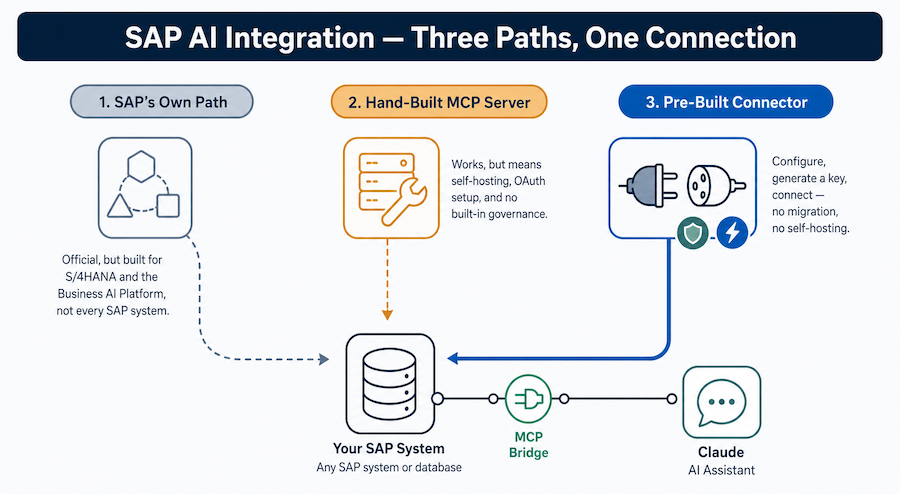
Setup follows three steps: configure the APIs and knowledge bases you want to expose, authenticate with an API key or OAuth using your own login, and connect your client of choice using the provided endpoint. For systems like SAP, Oracle, Salesforce, and NetSuite, pre-built connectors reduce the "configure" step to pointing at an existing integration rather than building an API wrapper from scratch. A managed knowledge base grounds answers in your actual documents (see our guide on RAG and enterprise data). Combined, this becomes one governed layer that any AI client on your team can use safely.
It's also the same underlying mechanism behind AI-enabling a legacy ERP without re-platforming. Expose the operations that matter as standardized tools, and you get natural-language access to systems that were never going to be replaced anytime soon.
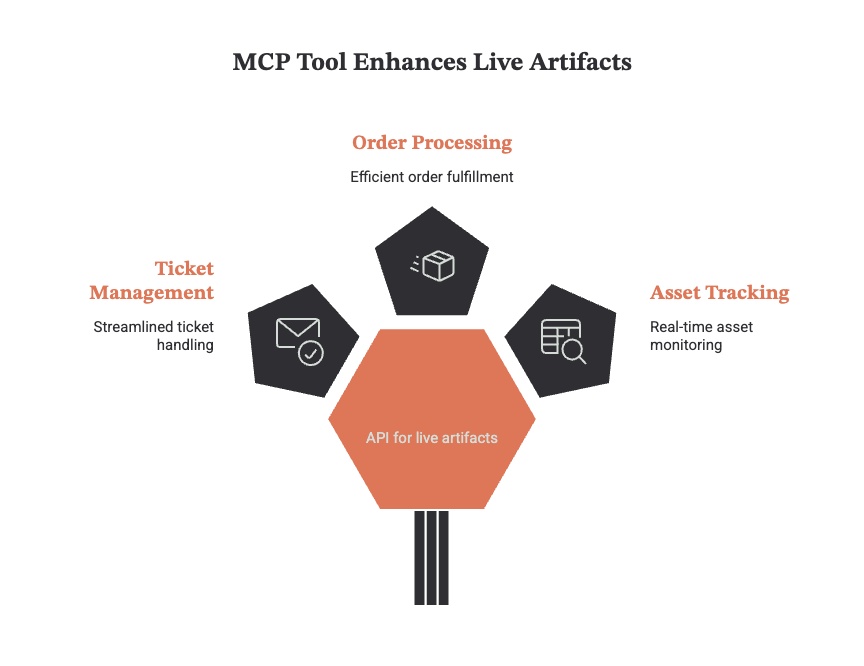
A registered tool's response doesn't have to come back as plain text either. It can render as a live artifact, a form, table, or tracker Claude generates directly inside the conversation, built automatically from the tool's own input schema rather than a separate front-end you'd have to design. If you're comparing options rather than building your own, our roundup of the best MCP servers for enterprise teams covers where a hosted platform like this fits among the alternatives.
Frequently Asked Questions
Is an MCP server secure for enterprise data? The protocol itself is a specification, not a guarantee of security. The security posture depends on how a given implementation is built. A well-built enterprise deployment should handle authentication, enforce role-based access control per tool, and log every call for audit purposes. These are the same practices you'd expect from any API layer handling sensitive data.
Can ChatGPT use MCP servers? Yes. Anthropic introduced the standard, but it's open, and support has extended well beyond Claude. ChatGPT, Cursor, Gemini, and a growing list of compatible clients and orchestration tools all work with it today.
How is this different from a regular API integration? A regular integration is typically built for one consumer at a time. Connect a new AI model, and you write a new integration. This standard fixes the description and calling convention so that any compatible client can use a given server's tools without a model-specific build.
How do I build my own MCP server? At a minimum, expose the operations you want AI clients to call. Describe them with clear names and input schemas, then implement the protocol's request/response format on top of your existing API logic. Many teams find it faster to use a platform that hosts this layer for them rather than building and maintaining the infrastructure from scratch.
The Bottom Line
An MCP server turns your existing APIs into tools any AI assistant can use safely, without a custom integration for every model your organization adopts. Many enterprises are already juggling multiple LLM vendors and a growing list of AI-powered tools. For them, that standardization is the difference between an integration strategy that scales and one that requires rebuilding the same connector every time a team picks a new assistant.
Are you evaluating how to bring AI access to systems you already run, whether that's an ERP, a CRM, or an internal knowledge base? This is very likely the piece of infrastructure worth getting right first. Sign up free to connect your first API and see what it looks like as a working tool.
Related reading
Ready to put this into practice?
Talk to us about your stack