Turn Your API Into an MCP Tool for Live Artifacts
Turn your API into an MCP tool Claude can call and render as a live form, dashboard, or tracker, not just text. See the 3-step setup, then sign up free.
By Artificial Wit Team
By Artificial Wit Team. Last updated: July 4, 2026.
Turning your API into an MCP tool means registering it once in Artificial Wit's tool registry, so any MCP-compatible client, including Claude, can call it. The addition that makes this different from a standard MCP setup: instead of getting a text summary back, Claude can render the result as a live, interactive artifact, a ticket form, an order tracker, an asset list, that the user can act on directly.
Dana ran support operations for a regional logistics company, and every ticket started the same painful way. A customer would message about a delayed shipment. Dana's team would ask Claude to check the order, copy the answer into their ticketing system by hand, then reply to the customer from a third tab. Three systems, one five-minute task that should have taken thirty seconds.
The bottleneck wasn't the AI. It was that every AI answer came back as a paragraph of text someone still had to act on.
That's the gap this article closes. You'll learn what an MCP endpoint actually does, why "renders as a live artifact" is a meaningfully different capability from ordinary tool calling, and how to configure a custom endpoint (using tickets and orders as concrete examples) so Claude can complete the workflow instead of just describing it.
- Artificial Wit's hosted MCP endpoint (`https://api.artificialwit.com/mcp`) lets you register any custom API, tickets, orders, assets, as a tool any MCP-compatible client can call.
- Beyond returning text, tool calls can render as live artifacts: full-page dashboards or inline chat components (forms, tables, charts) that call MCP tools directly through a `window.cowork.callMcpTool()` bridge.
- Configuring a custom endpoint takes three steps: define the API in the tool registry, test it in the Tool Testing Console, then connect an MCP client, authenticating with an API key or OAuth using your own login.
- Role-based access control still applies to every artifact. Two users calling the same ticket tool can see different fields, based on what they're already permitted to access.
- This works the same way across Claude, ChatGPT, Gemini, Cursor, n8n, and Zapier, one endpoint, no per-model integration work.
What Does It Mean to Turn Your API Into an MCP Tool?
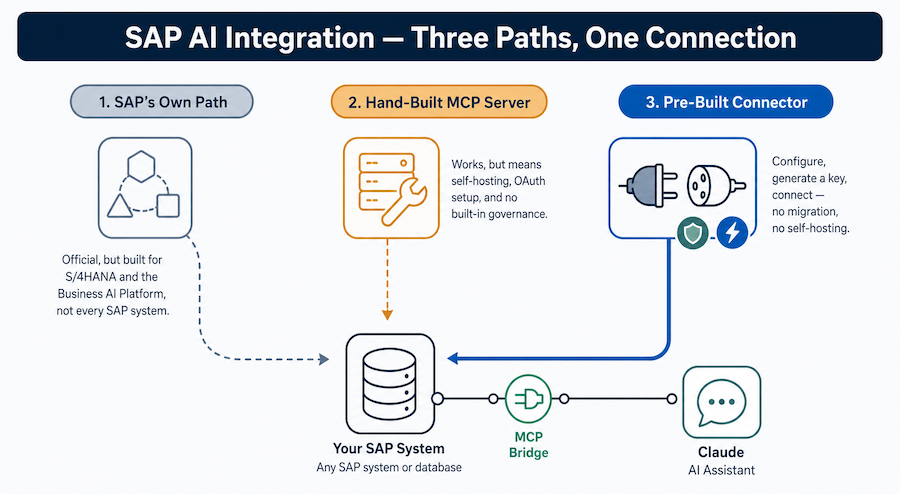
An MCP tool is an API operation registered with a schema and a plain-language description, so an AI model knows what the operation does and when to call it. The Model Context Protocol standardizes this registration, an open specification Anthropic introduced in late 2024, so Claude, ChatGPT, Gemini, and other MCP-compatible clients can all call the same tool without a separate integration for each one.
Artificial Wit hosts this as a single endpoint, `https://api.artificialwit.com/mcp`, authenticated with an `x-api-key` header. Once you register an API there, it's available to any MCP client that points at that endpoint. You configure the connection once. You don't rebuild it every time your team adopts a new model.
That much is standard MCP. Read our full explainer on what an MCP server does if the concept is new. What's not standard, and what this article focuses on, is what happens after the tool call comes back.
From Text Answers to Live Artifacts: What's Different Here
Most MCP tool calls end the same way: the API returns JSON, and the model turns that JSON into a sentence. That's useful for lookups. It's a dead end for anything the user actually needs to act on, like creating a ticket, placing an order, or reviewing a list of assets.
Artificial Wit's platform adds a second layer on top of the tool call: live artifacts. There are two forms this takes.
- Full-page dashboards: sidebar-navigable artifact dashboards rendered from a manifest, with a `window.cowork.callMcpTool()` bridge that lets the dashboard call MCP tools directly, no round trip back through chat text required.
- Inline chat artifacts: Chart.js-rendered charts, tables, and forms that appear inside a single chat message and can expand into a sandboxed side-panel preview mid-conversation.
Worth being precise here, since the terminology overlaps with Anthropic's own product naming: this isn't Anthropic's native Artifacts feature in Claude.ai. It's Artificial Wit's own manifest-driven dashboard and inline-component system, built specifically so a registered MCP tool's output renders as something interactive, not a wall of text. Explore Artificial Wit's MCP server to see how the tool registry and the artifact layer connect.
| Tool call result | Standard MCP tool calling | Artificial Wit's live artifact layer |
|---|---|---|
| Support ticket | Text confirmation the ticket was created | Live form artifact, pre-filled and editable before submit |
| Order lookup | Text summary of status and carrier | Live tracking artifact with a reorder action |
| Asset list | Text list of matching records | Sortable table artifact inside the chat or dashboard |
Configuring a Custom Endpoint: Assets, Tickets, and Orders as MCP Tools
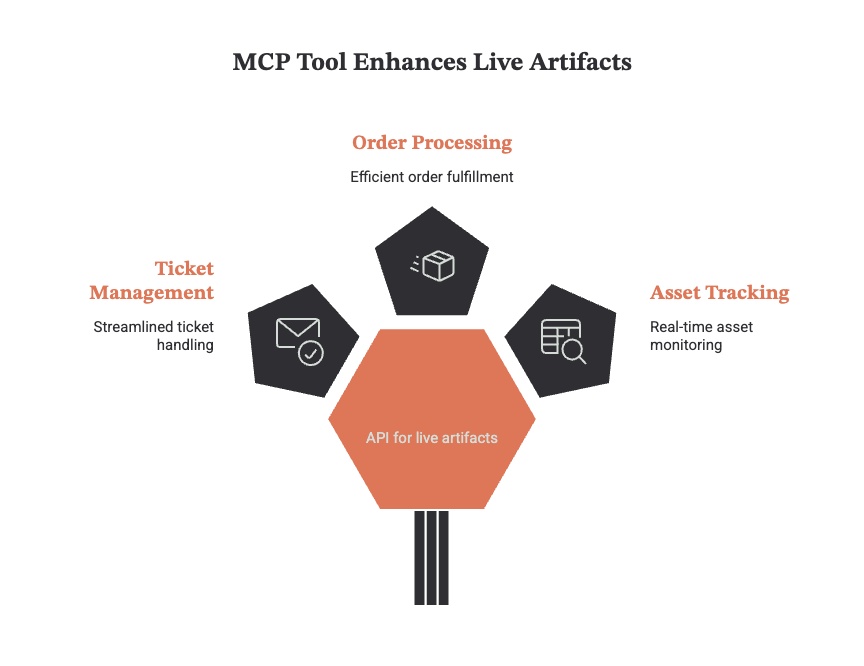
Any REST or GraphQL API you already run can become an MCP tool. Turning your API into an MCP tool works the same way regardless of what it does. Three of the most common examples — and the ones this article walks through — are asset lookups, support tickets, and orders.
Defining the Tool in the Registry
You start in the API Tool Registry, where you define the endpoint, its authentication method, and its parameters. This is the same registry technical teams use for any API-backed tool, not a separate system for artifact-producing ones. What changes is a manifest setting that tells the platform which fields should render as a form, a table, or a chart when the tool responds.
Testing Before It Goes Live
Before assigning the tool to an agent, you run it through the Tool Testing Console. It has a request panel, a response panel, an environment/variable panel, and an MCP panel, so you can confirm the schema and the rendered output before a real user ever calls it. This matters more for artifact-producing tools than plain lookup tools, since you're validating the visual layout, not just the raw response.
Ready to see it in your own stack? Sign up free and register your first endpoint, no credit card required.
Example: Creating a Support Ticket as a Live Artifact in Claude
Here's what changes once Dana's team turns their ticketing API into an MCP tool. A customer messages about a delayed shipment. Instead of Dana's team asking Claude for an answer and then manually opening the ticketing system, Dana asks Claude directly: "Open a ticket for order 48213, delayed shipment, priority high."
Claude calls the registered ticket-creation tool through the MCP endpoint. The response doesn't come back as a paragraph confirming the ticket exists. It renders as a live form artifact, pre-filled with the order number, the issue category, and the priority flag, sitting right in the conversation.
Dana's team confirms the details and submits it without leaving the chat, or opens the full dashboard view if they need to attach a file or check ticket history.
The mechanism matters more than it sounds like it should. A text confirmation ("Your ticket has been created") tells the user something happened. A live form artifact lets them verify and adjust it before it's final, then move straight to the next ticket. Six months after connecting this, Dana's team cut average ticket-creation time from just under five minutes to under a minute. Most of that gain came from removing the copy-paste step between Claude and their ticketing system entirely.
Example: Placing and Tracking an Order as a Live Artifact
Marcus manages retail operations for a mid-sized e-commerce brand, and his team fields a steady stream of "where's my order" questions during peak season. Turning the order API into an MCP tool changed how his team handles every one of them.
Before connecting an MCP-backed order tool, every one of those questions meant a support rep pulling up the order management system separately from whatever AI assistant they were using for the initial response.
Now, when a rep asks Claude to check or place an order, the order tool responds with a live tracking artifact. It shows status, carrier, expected delivery date, and a reorder button if the item needs to ship again. The rep sees the same structured view they'd get from the order system itself, without switching tabs. For a new order, the same tool renders an order form artifact the rep can fill in and submit directly from the conversation.
Marcus's team didn't need to change their order management system to get this. The order API stayed exactly where it was. Artificial Wit's tool registry wrapped it. The MCP endpoint exposed it to Claude, with the artifact layer handling the display. That's the core of the "AI-enable, don't replace" approach: the system of record doesn't move, only the interface in front of it changes.
Why This Matters: One MCP Endpoint, Every LLM, Real Workflows
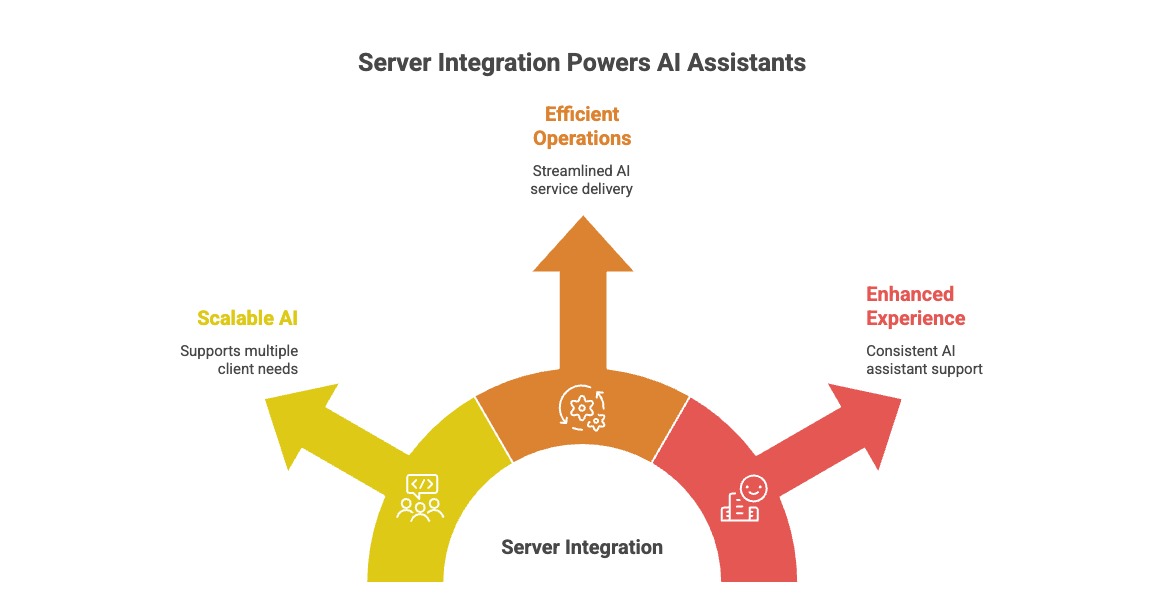
The reason this is worth building once, rather than per-model, is the same reason MCP exists in the first place: one endpoint works across every MCP-compatible client. Once you connect Claude to internal APIs through the registry, the same ticket tool and order tool are available everywhere. That includes Claude Desktop, Cursor, ChatGPT, Gemini, or an internal orchestrator built on n8n.
Governance doesn't get looser just because the output got more interactive. Role-based access control applies at the tool level and the artifact level together. Two support reps calling the same order tool can see different fields, or none at all for a restricted order, depending on what they're already permitted to see. Nothing about rendering a live dashboard bypasses the access rules already in place for the underlying API. Read more about how Artificial Wit handles enterprise security and access control if governance is the first question your team will ask.
That combination — one integration effort, artifact-level RBAC, and no migration of the underlying system — is what sets this apart. A custom-built chatbot integration or a plain MCP gateway that only ever returns text can't match it. See how teams across support, retail, and sales use this in practice.
Getting Started: Turn Your First API Into an MCP Tool in 3 Steps
- Configure your API and knowledge base. Register the endpoint in the tool registry, set authentication, and mark which fields should render as an artifact.
- Authenticate your client. Generate an API key to authenticate calls to `https://api.artificialwit.com/mcp` through the `x-api-key` header, or skip key generation entirely and connect via OAuth using your own Artificial Wit login.
- Connect your MCP client. Point Claude Desktop, Cursor, or any MCP-compatible client at the endpoint, and the registered tool, along with its artifact rendering, is immediately callable.
Most teams go from signup to a working, artifact-rendering tool call in minutes, not a multi-week integration project. Explore Artificial Wit's AI Assistant if you also want to assign the same tools to a configured agent, rather than calling them ad hoc from a general-purpose client. Or check the full API documentation for endpoint schemas and auth details.
Frequently Asked Questions
Can Claude create a support ticket directly, not just describe how to?
Yes. Once your ticketing API is registered as an MCP tool with an artifact manifest, Claude calls the tool and the response renders as a live form the user can review and submit, rather than a text description of what a ticket would contain.
Is this the same as Claude's built-in Artifacts feature?
No. Anthropic's native Artifacts feature in Claude.ai is a separate, chat-embedded capability. Artificial Wit's live artifacts are rendered through its own manifest-driven dashboard and inline-component system, triggered by MCP tool calls to your registered endpoints.
Do I need to change my existing ticketing or order system to use this?
No. The tool registry wraps your existing API. Your ticketing system, order management system, or asset database stays exactly where it is, only the MCP-exposed interface in front of it is new.
Does this work with more than just Claude?
Yes. The same registered tool and artifact rendering is available to any MCP-compatible client, including ChatGPT, Gemini, Cursor, n8n, and Zapier, since Artificial Wit exposes one standardized endpoint rather than a Claude-specific integration.
Can different users see different data through the same artifact?
Yes. Role-based access control applies per tool, so the same order or ticket tool can return different fields, or restrict access entirely, depending on what the requesting user is already permitted to see.
Turn Your API Into an MCP Tool, Starting Today
Turning your API into an MCP tool used to mean settling for a text summary Claude handed back after a lookup. With Artificial Wit's artifact layer on top of the MCP endpoint, that same tool call can render as a form the user fills in, a dashboard they can navigate, or a tracker they can act on, without leaving the conversation.
Dana's team cut ticket creation from five minutes to under one. Marcus's team stopped tab-switching between Claude and their order system entirely. Neither team migrated anything. They registered an existing API, tested it, and connected an MCP client.
Sign up free, no credit card required, and turn your first ticket, order, or asset API into an MCP tool Claude can render as a live artifact.
Related reading
Ready to put this into practice?
Talk to us about your stack