Your AI assistant, grounded in your own data
A white-label AI assistant platform that lets organisations chat with agents grounded in their own knowledge, configure the AI brain, and manage users with fine-grained access control.
No credit card required · See pricing plans
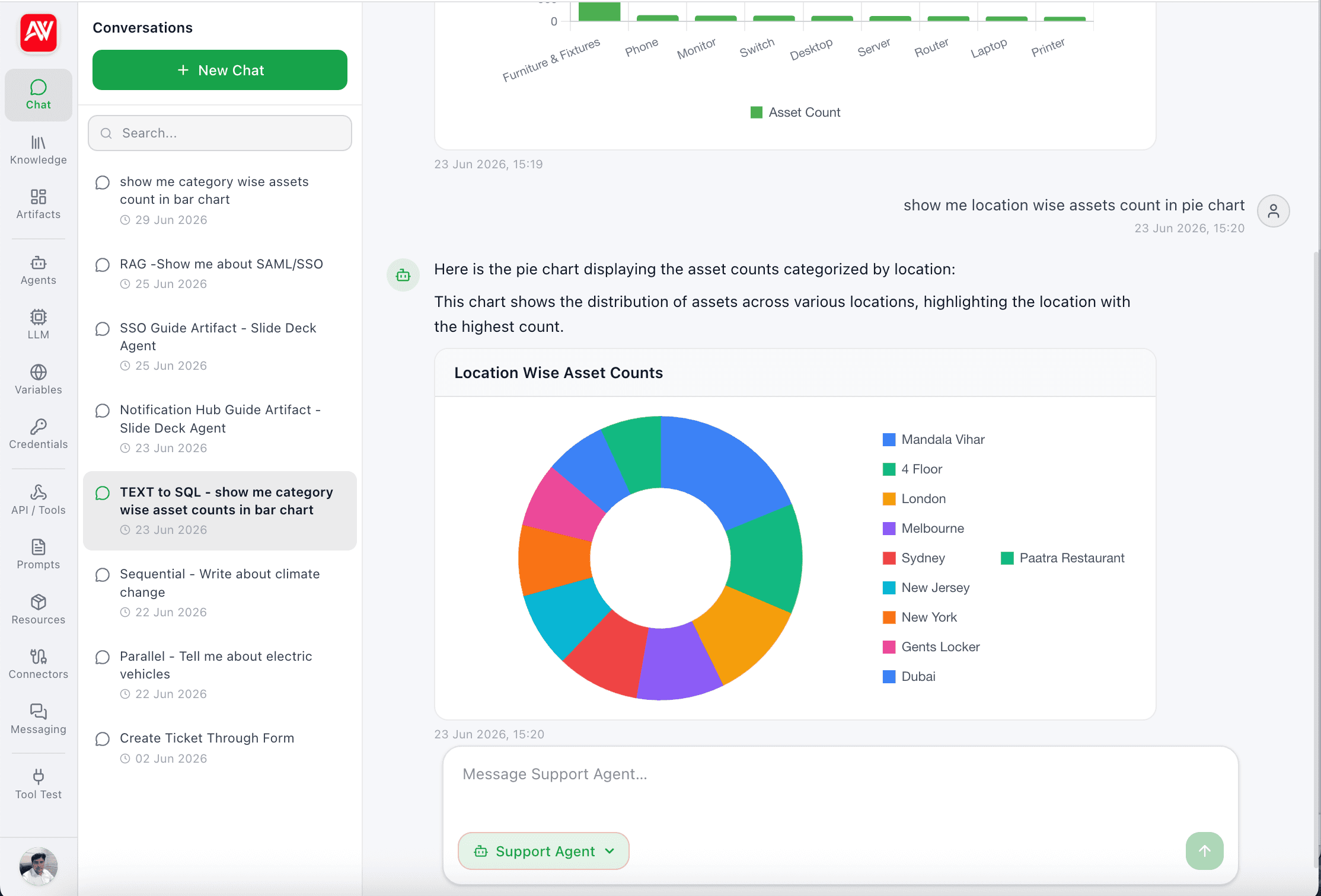
Built for Enterprises
Artificial Wit AI gives your teams a secure, branded AI workspace where every answer is grounded in your organisation's own data and every action is governed by roles you control.
Platform Features
Everything you need to deploy a production-grade AI assistant for your business.
Conversational Chat
Token-by-token streaming chat with multiple AI agents, conversation history, search, auto-titled threads, starter prompts, and live status indicators (Searching knowledge base…, Thinking…).
Grounded Answers with Citations
Retrieval-Augmented Generation (RAG) attaches source documents, similarity scores, and reference numbers to every answer — so users can trust and verify what the AI says.
See how RAG grounds enterprise data →Knowledge Base Management
Curate multiple knowledge bases. Add documents (PDF, Word, text), URLs, or plain notes. Embed, re-embed, or bulk re-embed with live status (Pending, Embedding, Ready, Failed).
Configurable AI Agents
Create AI personas with custom system prompts, avatars, assigned LLM models, knowledge bases, tools, and global variables. Duplicate, edit, and gate access by role.
Multi-LLM Configuration
Register and manage models from OpenAI, Anthropic, Azure, Gemini, or local providers. Configure keys, base URLs, temperature, and max tokens — all access-controlled.
MCP Server Integration
Native Model Context Protocol (MCP) server support lets agents securely connect to external tools, data sources, and enterprise systems extending AI capabilities beyond static knowledge.
See the MCP server →API & Tool Integrations
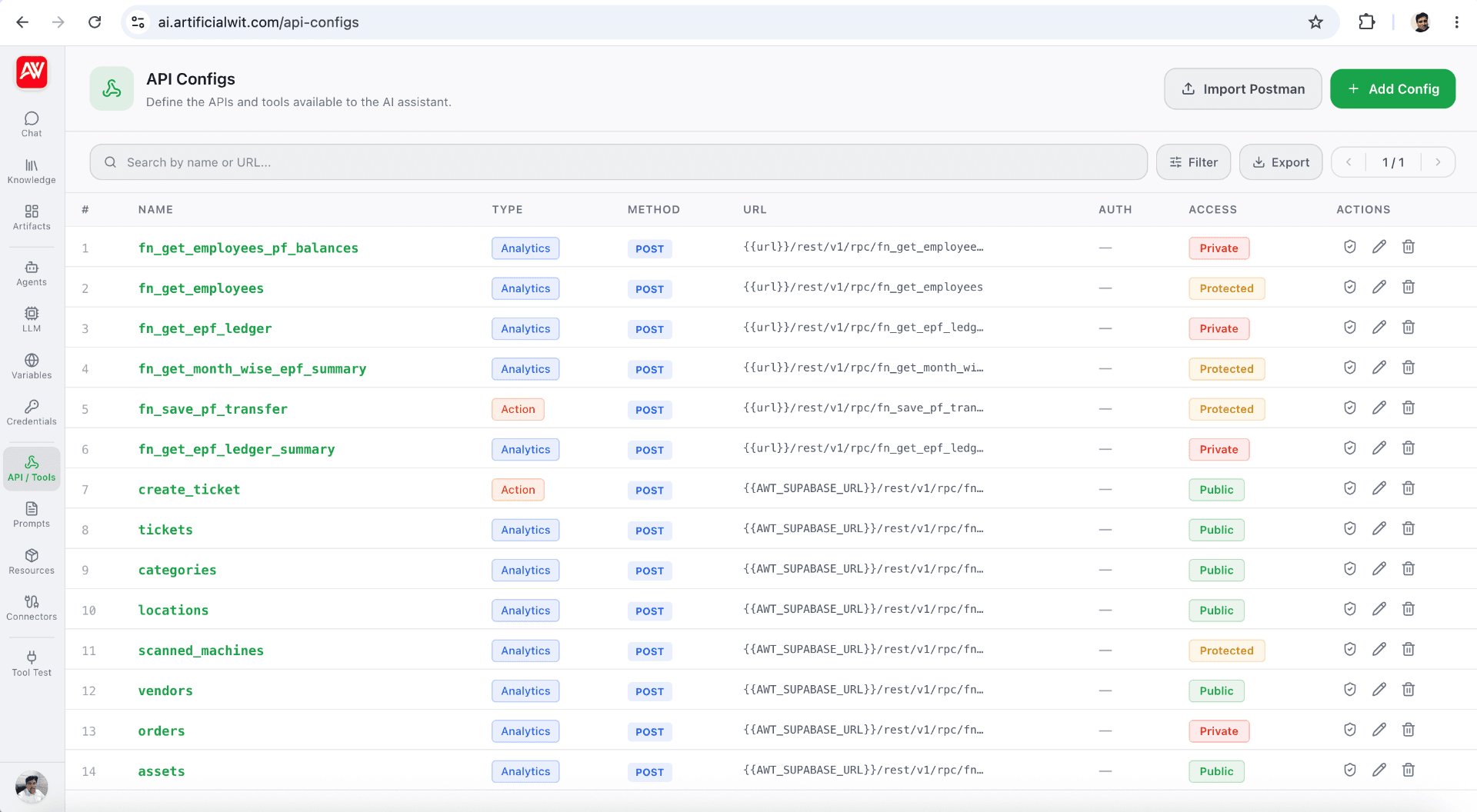
Define external APIs (CRM, ticketing, inventory) as agent tools. Configure endpoints, headers, request bodies, and run built-in test calls before going live.
Centralised API Credentials
Reusable, securely stored credentials supporting Basic, Bearer Token, OAuth, and Custom Header auth with variable substitution like {{SYS_USER_EMAIL}}.
Global Variables
Reusable text, integer, dropdown, or masked secret values referenced anywhere via {{VAR_NAME}} perfect for company info, support emails, regions, and fallback URLs.
User & Role Management
Add and manage users with auto-generated temporary passwords. Define roles like Administrator, Knowledge Curator, Sales, or Read-Only and assign them across the platform.
Unified Access Control
One consistent permissions model for every resource — Knowledge Items, Agents, LLMs, APIs, Credentials, Variables, Users, and Pages. Public or restricted to selected roles/users.
See our security practices →Full White-Label Branding
Re-brand the entire product per customer logo, name, tagline, colours, favicon, page titles, and social previews — through environment variables, with no code changes.
Enterprise Security
Authenticated sessions, server-validated roles in a dedicated table, masked secrets, and Access Control gates on every protected resource.
Polished App Shell
Branded top bar, collapsible sidebar, sub-navigation, route progress indicator, breadcrumbs, toasts, confirmation dialogs, and inline form validation throughout.
Want to try it before reading further?
Open the app →Roll Out for Any Customer
To deploy the product for a new customer, only a few things change — no code edits required.
Brand Variables
Name, logo letter, company, tagline, favicon, social image, page title.
Initial Admin
Set up your first administrator and invite the rest of the team.
Pre-Seeded Content
Optional knowledge bases, agents, and global variables ready on day one.
What's Next
Upcoming improvements on our roadmap.
- Conversation export (PDF / DOCX)
- Per-agent analytics dashboard
- Scheduled re-embedding of knowledge items
- Multi-language UI
Common questions
01What is the Model Context Protocol (MCP)?+
MCP is an open standard that lets AI assistants like Claude securely call external tools and data sources. Artificial Wit AI exposes every configured API as an MCP tool.
See the MCP server →02Which LLMs does Artificial Wit AI support?+
Claude (Anthropic), GPT (OpenAI), Gemini (Google), Azure OpenAI, and any local or self-hosted model with an OpenAI-compatible API.
03Can I connect my own APIs and knowledge base?+
Yes. Add REST or GraphQL endpoints with any auth method, upload PDFs, Word, or text files, and the assistant will ground answers with citations.
04Is there a free plan?+
Yes, sign up free, no credit card required.
See pricing plans →