MCP Apps for Enterprise: The Governed Alternative to the Marketplace
MCP Apps for enterprise, explained: skip the marketplace, keep your access controls, and render interactive UI on internal APIs. Sign up free, no card.
By Artificial Wit Team
By Artificial Wit Team. Last updated: July 16, 2026.
Anthropic and OpenAI both just made apps inside Claude and ChatGPT official. Neither path helps you if the app you want in chat is your own internal claims-processing tool. MCP Apps for enterprise means getting that same interactive-UI-in-chat pattern on APIs that were never going to be listed anywhere, governed by the access controls you already run.
Tom Bennett, an IT director at a 400-person logistics firm, read the news the same week most people did. On January 26, 2026, Anthropic launched MCP Apps, an official extension to the Model Context Protocol that lets a tool call return a form, chart, or dashboard instead of plain text, rendered right inside the chat window. Nine companies shipped it on day one: Canva, Figma, Slack, Asana, monday.com, Amplitude, Box, Clay, and Hex. Tom's first thought wasn't "can we use Canva inside Claude." It was: "Could our internal warehouse exception tool ever look like that?"
That question is what this article answers.
- Anthropic officially launched MCP Apps on January 26, 2026, an open extension to the Model Context Protocol that renders interactive UI (forms, charts, dashboards) inside a tool call, with nine launch partners including Canva, Figma, and Slack.
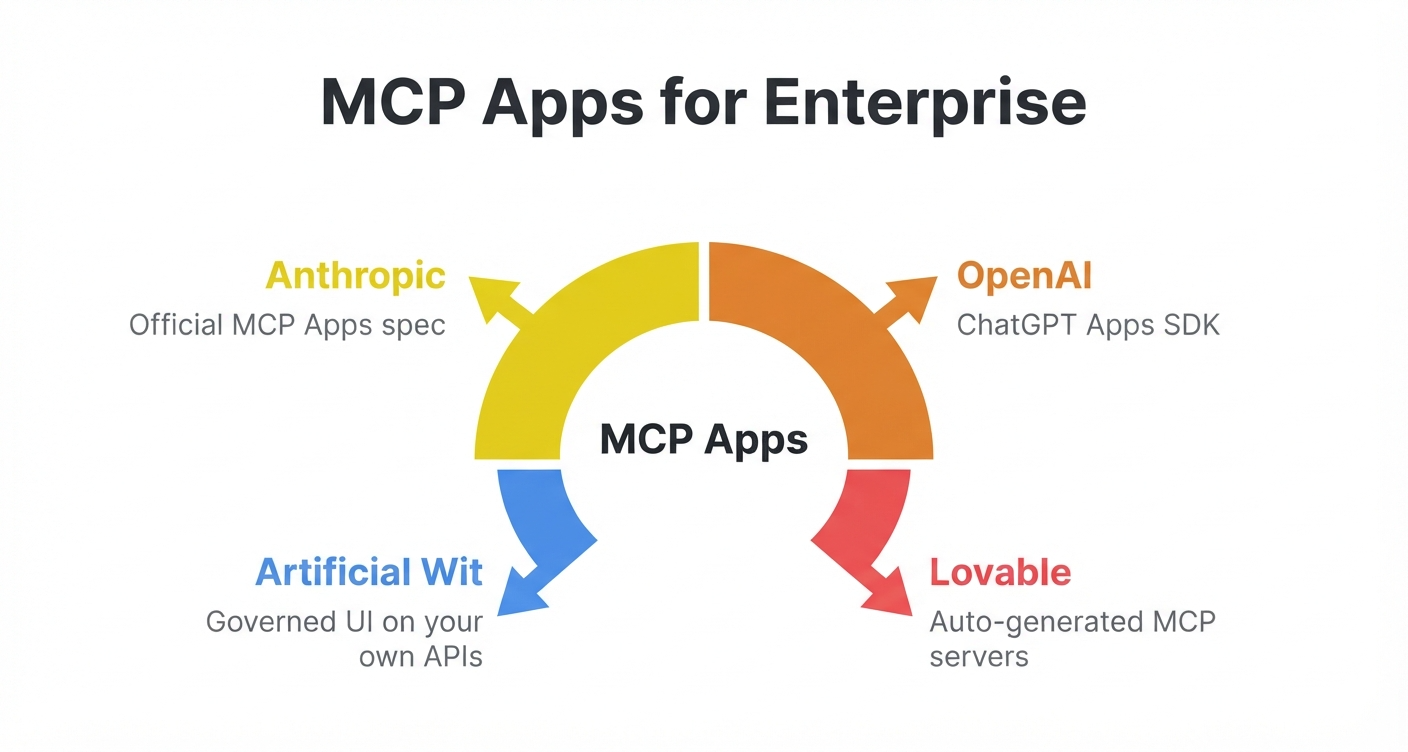
- OpenAI's Apps SDK (launched at DevDay, October 2025, with partners like Spotify, Zillow, and Figma) and Lovable's auto-generated MCP servers follow the same pattern for ChatGPT and for apps built on Lovable.
- All three paths are built for publishable, discoverable, marketplace-listed software, not for a company's own internal ERP, CRM, or ticketing APIs.
- Artificial Wit's MCP App UI (a separate, already-shipped feature) delivers the same schema-driven interactive UI on internal APIs directly, respecting existing role-based access control, with no marketplace submission or review cycle.
- "MCP Apps" (Anthropic's spec name) and "MCP App UI" (Artificial Wit's feature name) are two different things built on the same underlying protocol family, this article clears up which is which.
What Anthropic's MCP Apps Actually Launched (January 26, 2026)
MCP Apps is the first official extension to the Model Context Protocol, the open standard Anthropic introduced in late 2024. When an MCP tool declares a UI resource, the host — Claude, ChatGPT, VS Code Insiders, or Goose — renders it in a sandboxed iframe instead of returning plain text. A support-ticket tool doesn't just say "ticket created." It shows the ticket, with fields the user can review or edit, right in the conversation.
According to Anthropic's announcement on the Model Context Protocol blog, nine launch partners shipped support on day one: Amplitude, Asana, Box, Canva, Clay, Figma, Hex, monday.com, and Slack, with Salesforce confirmed as coming soon. Client support has since spread beyond Claude to VS Code Insiders and Goose, with ChatGPT support building on the same foundation.
This is a real, dated shift in how AI clients work, not a rebrand of something that already existed. Before this, an MCP tool call mostly returned text or, at best, a static widget a client happened to support. Now there's a shared, open spec for interactive tool UI that any MCP-compatible client can implement.
The Same Pattern, Three Flavors
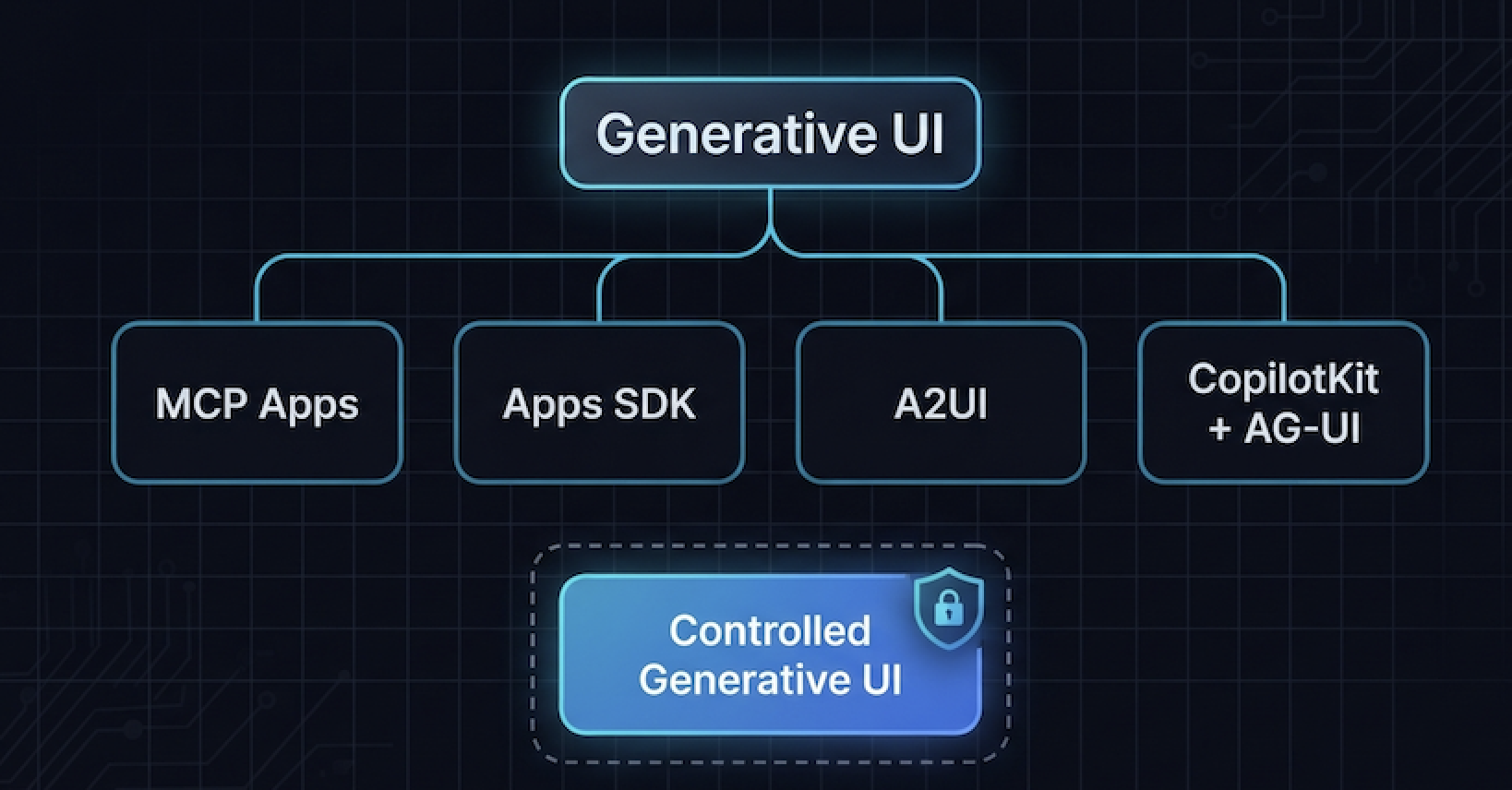
MCP Apps didn't launch in isolation. Three separate efforts point at the same idea: your software's interface can live inside the chat client instead of a separate browser tab.
Anthropic's MCP Apps spec
The protocol-level extension described above. Any MCP server can declare a UI resource; any compliant client can render it. It's infrastructure, not a product. That's exactly why the nine launch partners had to build their own MCP Apps integrations rather than getting one automatically.
OpenAI's Apps SDK
Announced at OpenAI's DevDay in October 2025 and expanded through 2026, the Apps SDK lets developers build apps that live inside ChatGPT, discoverable by name ("Spotify, make a playlist for my party this Friday") or auto-suggested mid-conversation. Pilot partners included Booking.com, Canva, Coursera, Figma, Expedia, Spotify, and Zillow. As of July 9, 2026, OpenAI opened submissions to an in-product app directory, so developers can publish for broader discovery. The ChatGPT Apps SDK for enterprise use cases works the same way: build, submit, wait for review, same as the consumer path.
Lovable's auto-generated MCP servers
Lovable announced that any publicly published Lovable app can automatically generate its own MCP server. Lovable reads the app's logic, suggests a scope of available actions, and lets the builder decide who can call them — everyone, signed-in users only, or paying users only. Claude or ChatGPT then reads that server's action list and calls it directly. This is almost certainly the moment behind "Lovable apps working inside Claude and ChatGPT."
| Anthropic MCP Apps | OpenAI Apps SDK | Lovable MCP servers | |
|---|---|---|---|
| What it is | Open protocol extension for UI-returning tool calls | ChatGPT-specific SDK for building in-chat apps | Auto-generated MCP server per published app |
| Who ships it | Any MCP-compatible client | ChatGPT | Lovable-built apps only |
| Discovery | Client-dependent | Named invocation or auto-suggestion, in-product directory | User adds the app's MCP server manually |
| Built for | SaaS products, internal tools with engineering resources | Consumer/prosumer apps | Indie builders, Lovable-native products |
Ready to see this pattern on your own APIs instead of reading about someone else's? Explore Artificial Wit's MCP server →
MCP Apps for Enterprise: The Question None of Them Answer
Every one of those three paths assumes the app is a product: something with users beyond your own company, something worth submitting for review, something worth a public listing. Canva, Slack, and Spotify were always going to end up in a marketplace eventually. Your internal claims-processing tool, your warehouse exception dashboard, your regional ticketing system, never were.
That's not a gap these platforms forgot to fill. It's outside their scope. OpenAI's directory review process and Anthropic's launch-partner model both exist to protect end users encountering apps they didn't build themselves. Neither was designed to answer: "How do I get my own internal API rendering interactive UI inside Claude, this week, without publishing it anywhere?"
This is the same tension behind Artificial Wit's AI-enable, don't replace approach to legacy systems, applied to a newer problem. You don't re-platform an ERP to get AI on top of it. You don't need to become an app-store publisher to get interactive AI-chat UI on top of your internal tools either.
Ana Souza runs platform engineering at a 300-person regional insurer. In February 2026, her team looked at getting their internal claims-adjustment tool into the new MCP Apps ecosystem the way Canva and Slack had. The first blocker wasn't technical. It was that there was no marketplace built for software nobody outside the company would ever use.
Three weeks of research turned up nothing built for that case. What she needed wasn't a listing. It was a way to expose an already-existing internal API as an MCP tool with UI, governed by the same roles her team already managed in the claims system.
MCP Apps vs. MCP App UI: Clearing Up the Name Collision
Two different things now share nearly the same name, and the confusion is worth resolving directly.
MCP Apps (capital A, Anthropic's term) is the open protocol extension described above, the general mechanism any MCP server can use to return interactive UI, standardized so any compliant client can render it.
MCP App UI is Artificial Wit's own feature, published as its own explainer in July 2026: a schema-driven rendering layer that generates a form, table, or chart automatically from an MCP tool's input argument schema, no separate front-end build required. A `string` argument becomes a text field, an `enum` becomes a dropdown, an array of objects becomes a table.
| Anthropic's MCP Apps | Artificial Wit's MCP App UI | |
|---|---|---|
| What generates the UI | The tool developer builds and declares a UI resource | The UI is generated automatically from the tool's existing input schema |
| Where it runs | Any MCP-compatible client that implements the spec | Full-page dashboards or inline chat artifacts, across MCP-compatible clients |
| Governance | Depends on the individual app developer | Built-in role-based access control, tied to Artificial Wit's Access Control model |
| Target use case | Publishable, discoverable products | A company's own internal APIs and tools |
Both build on the same MCP foundation. They solve different problems. If you want the mechanism deep-dive, see how the schema becomes a form; this article is about what to do with the news cycle around the former.
Governed by Default, Not Bolted On
A launch-partner app like Slack or Canva doesn't know your organization's role structure. It shows the same interface to every user who has access to it. That's fine for a consumer product. It's a problem for an internal tool that different roles in your company are supposed to see differently.
Artificial Wit's MCP App UI inherits Agent Governance, the same Access Control model that already governs every resource on the platform — Knowledge Items, Agents, LLM models, APIs, Users. Each resource is either Public or Restricted to specific roles and users. When a ticket-creation form renders automatically from a tool's schema, the priority dropdown a support rep sees can differ from the one a manager sees, without anyone hand-coding two versions of the form.
That single governance model matters more with MCP Apps as a mainstream pattern, not less. As more of a company's internal work happens through chat-rendered UI, "who can see and do what" needs to be answered the same way it already is everywhere else in the business, not reinvented per tool. That's the practical definition of governed AI apps for internal tools: the access model doesn't change just because the interface moved into chat.
Getting Your Own Systems Into Chat Without Waiting for a Marketplace Slot
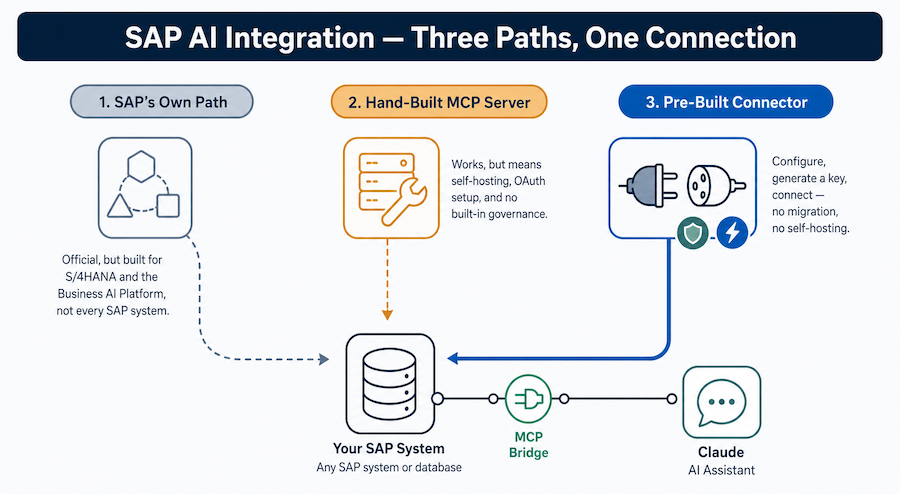
None of the review cycles, launch-partner selection processes, or app-directory submissions apply here, because nothing gets published anywhere. The setup is three steps: configure the API or knowledge base, authenticate, connect an MCP client.
- Configure: Register your internal API's endpoint and its input schema (or connect a knowledge base) in Artificial Wit.
- Authenticate: Create an API key from your dashboard, no credit card required to start, or connect via OAuth using your own Artificial Wit login instead.
- Connect: Point Claude, ChatGPT, or any MCP-compatible client at the endpoint. The tool, and its schema-driven UI, is immediately callable.
Ready to test this on your own API instead of waiting for a directory listing? Sign up free and connect your first API →
Six months after her initial research hit a wall, Ana's team connected their claims-adjustment API to Artificial Wit's MCP server. The ticket-review form used to require a custom front-end build, and would have needed a marketplace listing to reach Claude at all. Now it renders automatically from the tool's existing schema, restricted to the adjusters and managers who already had access to that data in the source system. No submission, no review, no waiting for a partner slot.
Frequently Asked Questions
Is MCP Apps the same as Artificial Wit's MCP App UI?
No. MCP Apps is Anthropic's open protocol extension for returning interactive UI from any MCP tool call. MCP App UI is Artificial Wit's own feature that generates that UI automatically from a tool's input schema and applies role-based access control to it. Both build on the Model Context Protocol; they solve different problems.
Do I need to publish my internal API to a marketplace to use this pattern?
No. The launch-partner and app-directory models from Anthropic and OpenAI are built for publishable, discoverable products. Artificial Wit's MCP App UI works directly on APIs you've registered yourself, nothing gets listed or reviewed anywhere.
Which AI clients support MCP Apps today?
As of mid-2026, Claude, VS Code Insiders, and Goose support Anthropic's MCP Apps spec directly, with ChatGPT building on the same underlying foundation through its own Apps SDK. Support is expanding as more clients adopt the open specification.
Can I use this pattern on an API that will never be public?
Yes, that's the specific case Artificial Wit's MCP App UI is built for. Turn your API into an MCP tool covers the underlying mechanism, and it never requires the API to be publicly discoverable.
What's the difference between OpenAI's Apps SDK and Anthropic's MCP Apps?
Both are built on the Model Context Protocol and follow the same core idea, tool calls that return interactive UI instead of text. OpenAI's Apps SDK is specific to ChatGPT and its in-product app directory. Anthropic's MCP Apps is a client-agnostic protocol extension that any MCP-compatible host can implement.
MCP Apps for Enterprise: The Pattern Just Went Mainstream
Anthropic's MCP Apps launch, OpenAI's Apps SDK, and Lovable's MCP integrations all confirm the same thing: interactive UI inside AI chat isn't a novelty anymore. It's where a growing share of software interaction is heading. But every path the big three offer runs through a public listing, a launch-partner slot, or a published product.
Your internal claims tool, ticketing system, or ERP exception dashboard was never going to take that path. It doesn't need to. That's what MCP Apps for enterprise actually means: Artificial Wit's MCP App UI delivers the same schema-driven, interactive-in-chat experience directly on the APIs you already run. It's governed by the access controls you already trust, with no marketplace review standing between your team and a working tool call.
Anthropic, OpenAI, and Lovable just proved the pattern works at scale. The only question left is whether your own systems get it too.
Sign up free and connect your first API → No credit card required.
Related reading
Ready to put this into practice?
Talk to us about your stack