One MCP Server, every AI client
Connect Claude, ChatGPT, Cursor, Gemini and any MCP-compatible agent to your enterprise APIs, knowledge bases and workflows through a single secure endpoint.
No credit card required. Role-based access control, SSO/SCIM and audit logs standard on Enterprise — see our security practices.
Supported Integrations
Wire the Artificial Wit MCP server into the AI clients and automation platforms your team already uses.
Claude Desktop
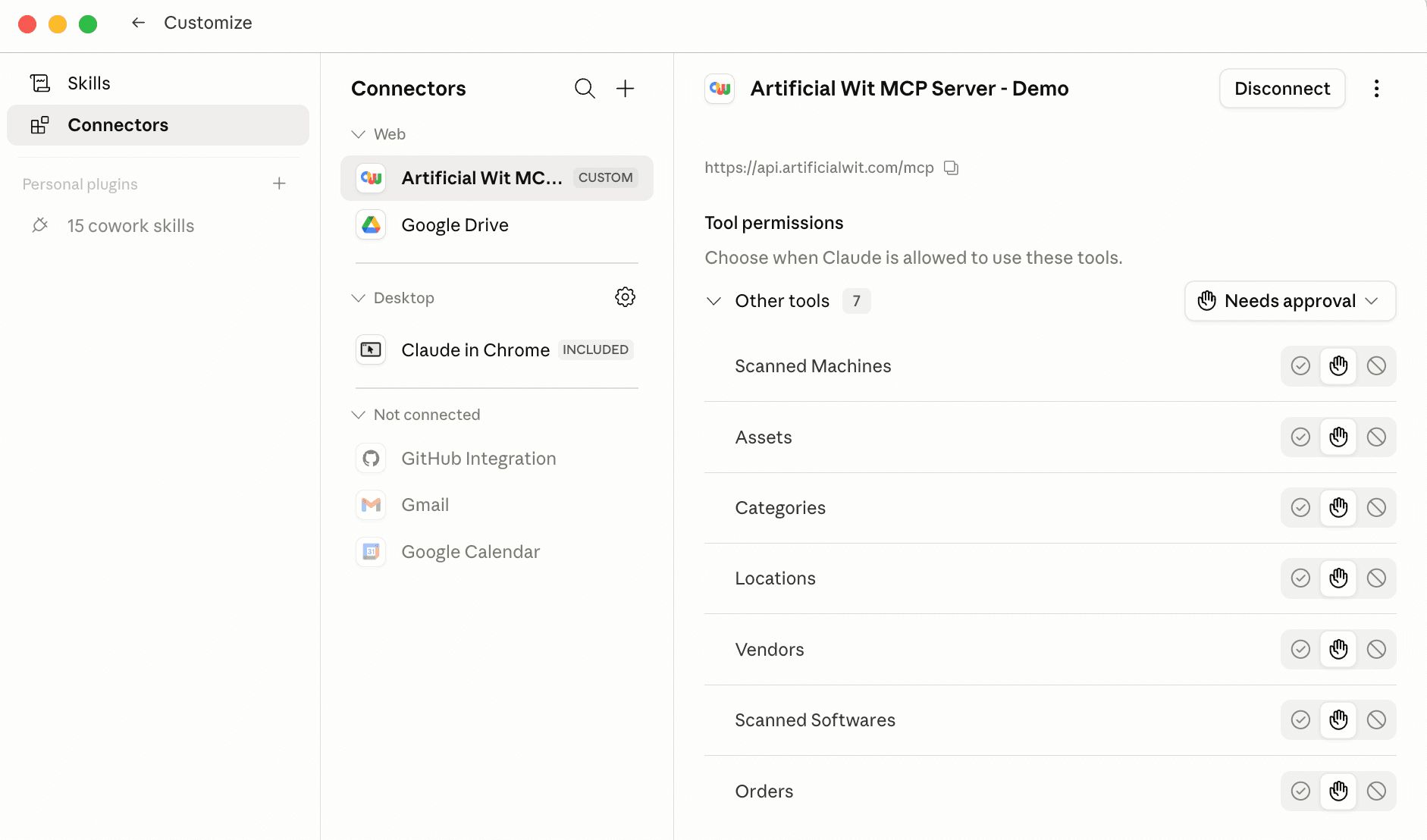
Add Artificial Wit as a remote MCP server in Claude Desktop's config to expose every configured API and knowledge base as a native tool inside Claude.
Cursor
Wire the MCP endpoint into Cursor's settings so the IDE's AI can query your enterprise data, trigger workflows, and read internal docs without leaving the editor.
ChatGPT (Custom GPTs & Actions)
Use the MCP endpoint as an action surface for Custom GPTs, giving ChatGPT secure, governed access to your APIs and grounded knowledge.
Gemini & Google AI Studio
Connect Gemini-powered agents to the same MCP server so any Google AI workflow can call your tools through a single standardised interface.
Any MCP-compatible Client
If it speaks the Model Context Protocol, it works. Connect open-source agents, custom CLIs, or in-house orchestrators with zero protocol glue code.
n8n, Zapier & Workflow Tools
Trigger MCP tool calls from automations to push enterprise data into downstream systems emails, tickets, CRMs, spreadsheets and beyond.
Want the technical details first?
Read the API documentation →How the connection works
Three steps from zero to a working MCP integration.
Configure
Add your APIs, credentials and knowledge bases inside Artificial Wit AI at ai.artificialwit.com.
Authorise
Generate an API key from your user profile inside Artificial Wit AI at ai.artificialwit.com.
Connect
Point any MCP client to https://api.artificialwit.com/mcp and include the x-api-key header using the API key obtained from the user profile.
Common questions
01What is the Artificial Wit MCP server?+
A single Model Context Protocol endpoint that exposes every API, knowledge base and tool you configure in Artificial Wit AI to any MCP-compatible client Claude, Cursor, ChatGPT, Gemini and more.
02Which AI clients can connect to the MCP endpoint?+
Claude Desktop, Cursor, ChatGPT (via Actions / Custom GPTs), Gemini, and any open-source or custom client that supports the Model Context Protocol.
03Is the MCP endpoint secure?+
Yes. Access is gated by API keys and role-based permissions, credentials are stored securely, and every tool call is auditable the same access controls apply whether a human or an AI client is calling the tool.
See our security practices →04Do I need to rebuild or migrate my existing APIs to use MCP?+
No. Register your existing REST or GraphQL API in the tool registry and it becomes an MCP tool as-is — no rewrite, and no changes to the system of record it's built on.
05Is there a free way to try the MCP server?+
Yes. The Free plan includes community MCP endpoint access with up to 3 API connections, no credit card required. Upgrade to Pro for a hosted MCP server with authentication and unlimited APIs.
See pricing plans →