MCP Client vs MCP Server: What's the Difference?
An MCP server exposes your APIs as tools; an MCP client connects to others' MCP servers. See the difference, then connect both, free.
By Artificial Wit Team
By Artificial Wit Team. Last updated: July 5, 2026.
An MCP server exposes your own APIs as tools other AI clients can call. An MCP client does the opposite: it connects out to MCP servers other teams or vendors already host, so your AI tools can use them too. Most teams only think about the first half.
Jordan ran platform engineering for a mid-size SaaS company, and for six months, "MCP" meant exactly one thing to his team: the server they'd built to expose their own internal APIs to Claude. Then a vendor shipped an MCP server for their own product, and Jordan's team hit a wall.
Nothing they'd built handled connecting to someone else's server. They'd only ever built the side that gets connected to.
This article draws the line between the two clearly, explains what each side actually does, and walks through why a platform that handles both matters more than most teams realize until they hit the same wall Jordan did.
- An MCP server exposes your APIs as tools; an MCP client connects out to MCP servers other teams or vendors host.
- Artificial Wit does both under one governed platform, a combination no identified competitor in the MCP gateway/hosting space currently offers.
- The client side auto-detects two transport protocols, legacy SSE (`2024-11-05`) and modern Streamable HTTP (`2025-03-26`), so you don't need to know which one a given external server speaks.
- OAuth for third-party MCP servers is handled automatically: PKCE, RFC 8414 discovery, and RFC 7591 dynamic client registration, no manual OAuth app setup per connector.
- Role-based access control applies consistently in both directions, tools you expose and tools you consume from elsewhere.
MCP Client vs MCP Server: The Core Difference
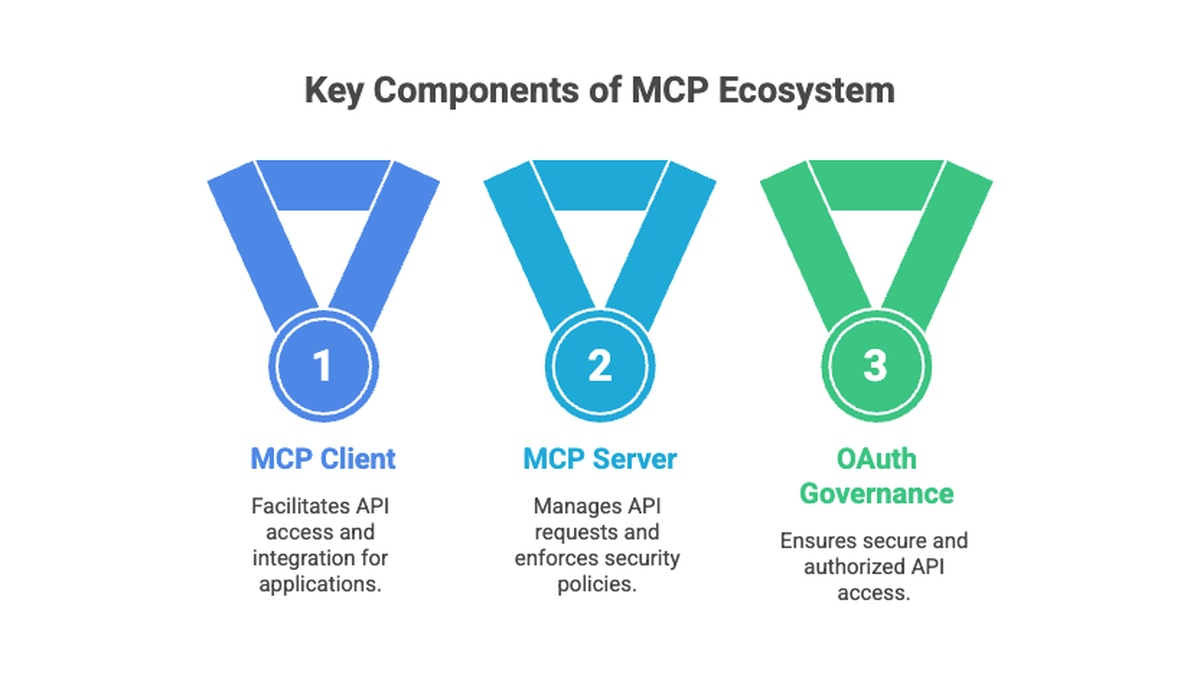
An MCP server is the side that exposes tools. It takes your internal APIs and makes them callable by any MCP-compatible AI client. An MCP client is the side that consumes tools. It connects out to an MCP server (yours or someone else's) and makes that server's tools available to an AI model. Most products pick one side. Few do both.
| MCP Server | MCP Client | |
|---|---|---|
| Direction | Exposes your APIs as tools | Connects to external MCP servers |
| Who calls whom | External AI clients call you | You call someone else's server |
| Typical use case | Claude reads your CRM, ERP, or ticketing system | Your platform consumes GitHub, Notion, or Slack's MCP servers |
| Artificial Wit feature | Hosted MCP endpoint (`api.artificialwit.com/mcp`) | Connectors page (MCP client) |
What an MCP Server Does
An MCP server is the half most content online already covers — what an MCP server is and why it matters goes into the full mechanism. In short: you register your API's operations as tools with a schema, and any MCP-compatible client, Claude, ChatGPT, Cursor, can discover and call them without a custom integration per model. Artificial Wit's own hosted server also renders those tool calls as live artifacts instead of plain text, but that's still the server side of the equation. This article is about the other half.
What an MCP Client Actually Does
An MCP client is software that connects out to an MCP server someone else hosts. Instead of exposing tools, it consumes them. Picture a team already using several external MCP servers, one from an internal tool, one shipped by a SaaS vendor, one built by another department. Without a client that centralizes this, every AI application that wants those tools needs its own connection logic, repeated per server.
Ready to see both sides in one place? Explore Artificial Wit's MCP page to connect your first external server.
Handling Two Transport Protocols Automatically
MCP has gone through a protocol revision, and not every server you'll connect to speaks the same version. Legacy servers use SSE transport (`GET /sse` plus `POST /messages`, protocol `2024-11-05`). Newer servers use Streamable HTTP (`POST /mcp` with an `mcp-session-id` header, protocol `2025-03-26`). A client that doesn't handle both will simply fail to connect to half the servers it encounters.
Artificial Wit's Connectors page auto-detects which transport a given server speaks and adapts automatically. You don't diagnose a failed connection to figure out which protocol version a vendor shipped. You just connect.
OAuth Without Manual Setup
Most external MCP servers require OAuth, and setting that up by hand for every connector is real engineering work: registering an OAuth app with the provider, handling the authorization flow, storing and refreshing tokens. Do that for five external servers and you've built five slightly different OAuth integrations.
Artificial Wit automates this end to end: PKCE for the authorization flow, RFC 8414 for discovering the authorization server, and RFC 7591 for dynamic client registration. Connecting a new external MCP server doesn't mean a developer manually configuring an OAuth app first.
Example: Centralizing Access to External MCP Servers
Amara led DevOps for a logistics software company that had, over about a year, ended up with three separate MCP servers in its stack: one from an internal inventory tool, one a shipping-rate vendor had started offering, and one an engineering team had stood up for internal build tooling.
Each one needed its own OAuth setup, and nobody had checked whether any of them used the older SSE transport until a connection quietly failed in production.
Once Amara's team routed all three through Artificial Wit's Connectors page, the protocol differences stopped being her problem. The platform detected which transport each server used and handled OAuth for all three the same way. Every agent on the platform could now call tools from any of the three servers, without Amara's team building or maintaining three separate connection paths.
That's the practical shape of centralizing external MCP servers: not fewer tools to manage, but one governed place to manage them from.
Why Being Both a Server and a Client Matters
Most MCP infrastructure products — gateway and hosting tools built specifically to secure and expose your own MCP server — stop there. None identified so far in that category also acts as a client, connecting out to external MCP servers your team already depends on. That leaves teams juggling two separate tools: one for hosting, one for consuming, each with its own governance model.
Artificial Wit does both under one platform. Role-based access control applies the same way whether a tool originated from your own registered API or from an external server you connected to. A support agent's access rules don't change depending on which side of the MCP relationship a given tool came from. That consistency is the actual differentiator, not the individual mechanics of either side alone.
Traditional integration platforms (iPaaS tools like MuleSoft or Workato) face a related but different gap: they move data between systems, but they weren't built around MCP as the primary interface, and they don't typically act as an MCP client either. A team standardizing on MCP for AI access generally can't lean on an existing iPaaS investment to solve the client-side problem. It's a separate capability that has to be built or bought specifically for MCP.
Ready to centralize both directions? Sign up free, no credit card required, and connect an external MCP server alongside your own hosted tools.
Who Actually Needs an MCP Client
Not every team needs the client side on day one. It becomes necessary once any of these are true:
- Your team already depends on more than one external MCP server. Once a second or third vendor or internal team ships its own MCP server, per-tool connection logic stops scaling.
- You're evaluating multiple AI clients against the same external tools. Without a client layer, each AI client, Claude Desktop, an internal agent, a workflow tool, ends up with its own separate connection to the same external server.
- Security review requires centralized credential management. Scattering OAuth tokens for external servers across whichever tool happens to need them is exactly the kind of point-to-point sprawl a compliance review flags.
- Your platform team is tired of debugging transport mismatches. SSE versus Streamable HTTP failures are a common, avoidable source of "why won't this connector work" tickets.
If none of these apply yet, the server side alone may be enough for now. Most teams eventually hit at least one.
Getting Started: Connect Your First External MCP Server
- Open the Connectors page. This is the MCP client side, distinct from the tool registry used for hosting your own server.
- Add the external server's URL. Artificial Wit probes it and detects whether it speaks legacy SSE or modern Streamable HTTP.
- Authorize once. OAuth (PKCE, discovery, dynamic client registration) completes automatically, no manual OAuth app setup.
- Assign the connected tools to an agent. Once connected, the external server's tools are available the same way your own registered tools are.
Compare that against the three-step flow for exposing your own API as an MCP tool. The two flows are deliberately similar, since they're two directions of the same underlying capability.
Jordan's team, once they understood the distinction, didn't have to rebuild anything they'd already made. Their existing MCP server kept exposing their own APIs exactly as before. They just added the client side on top, connecting to the vendor's server the same week it shipped instead of scoping a new integration project for it.
Frequently Asked Questions
What's the difference between an MCP client and an MCP server?
An MCP server exposes your own APIs as tools other AI clients can call. An MCP client connects out to MCP servers other teams or vendors host, so your AI tools can use them.
Can one platform connect to multiple external MCP servers?
Yes. Artificial Wit's Connectors page can connect to several external MCP servers at once, each with its own transport and OAuth handled automatically, and make all of their tools available to any agent on the platform.
Does MCP require OAuth for every connection?
Not universally, but most external MCP servers do require it. Artificial Wit automates the OAuth flow (PKCE, RFC 8414 discovery, RFC 7591 dynamic client registration) so you don't configure it by hand per connector.
What is Streamable HTTP transport in MCP?
Streamable HTTP is the transport used by protocol version `2025-03-26`, a single `POST /mcp` endpoint with session tracking via an `mcp-session-id` header. It replaced the older SSE transport (`2024-11-05`), though many servers still run on the legacy version.
How do I manage MCP server credentials centrally?
Connect each external MCP server through a platform that acts as an MCP client, like Artificial Wit's Connectors page, so credentials and OAuth tokens are stored and refreshed in one place rather than scattered across whichever tool happens to need them.
Turn Both Directions of MCP Into One Governed Platform
The distinction is simple once it's named: an MCP server exposes your tools, an MCP client consumes someone else's. Most teams build or buy for one direction and discover the gap in the other only when, like Jordan's team, they hit it directly.
Amara's team went from three separately managed MCP servers, each with its own OAuth setup and an undiagnosed transport mismatch, to one governed connection point. Nothing about their external tools changed. What changed was not having to build or maintain the connection logic for each one separately.
Neither team had to choose between hosting their own tools and consuming someone else's. That's the point of treating both directions as one capability instead of two separate projects.
Sign up free, no credit card required, and connect your first external MCP server alongside your own hosted tools.
Related reading
Ready to put this into practice?
Talk to us about your stack