How to AI-Enable a Legacy ERP Without Re-Platforming
Most ERPs aren't going anywhere. Here's a pragmatic four-step path to add an AI layer on top of the one you already run, no migration required.
By Artificial Wit Team
Created At: 2026-05-05T00:00:00 Published At (API): 2026-07-04T09:13:25.438079+00:00 Source: Reconstructed from live site via fn_save_website_blog API on 2026-07-05 (no local source draft existed for this post)
--- Replacing a legacy ERP is a multi-year project most companies will never finish. The good news: you don't need to. To AI-enable a legacy ERP, you wrap your existing SAP, Oracle, or Dynamics system in an AI layer using four steps — expose, describe, ground, and govern — without migrating a single record.
Marcus had been the IT director at a mid-size distribution company for six years. He'd watched two previous ERP replatforming attempts die quietly in year two. Each time, the business case was the same: the current system was old, reporting was manual, and nobody could get a straight answer out of it without emailing someone in finance. Each time, the project stalled once the team hit the real cost of migrating twelve years of custom fields and workflows. When his CFO asked for an AI assistant that could answer natural-language questions about inventory and open orders, Marcus's first instinct was to say it would require the same migration they'd already failed twice. It didn't.
This guide covers the four-step path to AI-enabling a legacy ERP in place, what each step actually involves, why a full migration is the wrong default for most companies, and how to get started without a multi-year project.
- AI-enabling a legacy ERP means wrapping it in a governed API and knowledge base layer, not migrating or replacing the underlying system.
- More than a quarter of ERP implementations exceed their budget, and most overruns come from scope changes discovered mid-project, according to Panorama Consulting's 2026 ERP Report.
- The four-step path, expose, describe, ground, govern, turns 20 to 30 key operations into AI-callable tools without touching the ERP's core code.
- Pre-built connectors for SAP, Oracle, Salesforce, and NetSuite reduce the "expose" step to configuration instead of custom API development.
- Most teams reach a working AI tool call against their ERP in weeks, not the 12 to 24 months a full replatforming project typically takes.
Why a full ERP migration is the wrong default
Ask any IT leader who has been through one: ERP migrations are slow, expensive, and risky. The risk compounds the longer the project runs. According to Panorama Consulting's 2026 ERP Report, more than a quarter of organizations exceed their implementation budget, with additional technology needs discovered mid-project cited as the leading cause (Panorama Consulting Group, 2026 ERP Report). Fatal misfits between the new system and existing workflows tend to surface late, well after the budget and timeline were locked in.
None of that risk is really about the AI layer. It's about the migration itself — the years of parallel-running old and new systems, the custom fields nobody documented, the integrations that quietly broke. If the actual goal is natural-language access to ERP data, a migration solves a problem you don't need to solve to get there.
The four-step path to AI-enable any ERP
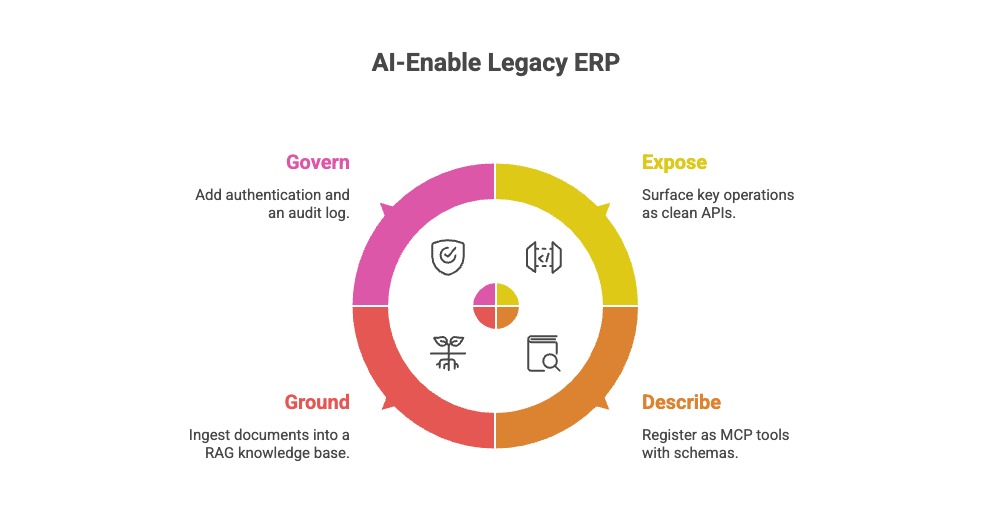
Wrapping a legacy ERP in an AI layer means exposing the operations that matter, describing them so a model can use them correctly, grounding answers in your actual documentation, and governing who can do what. Here's what each step looks like in practice.
Expose: surface the operations that matter
Most ERPs already expose a REST or SOAP API, even older on-premise deployments. The work isn't building new infrastructure. It's identifying the 20 to 30 operations that actually matter: look up an order, check inventory across warehouses, flag an exception, pull a customer's account status. For SAP, Oracle, Salesforce, and NetSuite specifically, pre-built connectors reduce this step further, turning "build an API wrapper" into "point at an existing integration."
Describe: register them as MCP tools
Once an operation is exposed, it needs a clear, natural-language description so an AI model knows when and how to call it, what inputs it needs, what it returns. This is where Model Context Protocol (MCP) does the standardization work: describe a tool once, and any MCP-compatible client, Claude, ChatGPT, a custom internal agent, can call it correctly without a model-specific integration.
Ground: build a knowledge base from what already exists
Your ERP's transactional data is only half the picture. SOPs, manuals, pricing policies, and master data explain what the numbers mean. Ingesting that documentation into a RAG knowledge base means an AI assistant can answer "why was this order flagged" with an actual cited policy, not a guess. RAG is how you stop your AI from hallucinating on enterprise data covers the mechanism in more depth.
Govern: add auth, rate limits, and an audit log
The step teams skip under deadline pressure is the one that determines whether the project survives a security review. Before opening the tool layer to any AI client, decide who, or which agent, can call which operations, apply the same access rules already in place for human users, and log every call. Role-based access control here should mirror what your ERP already enforces, not introduce a parallel permission system.
What this unlocks for the business
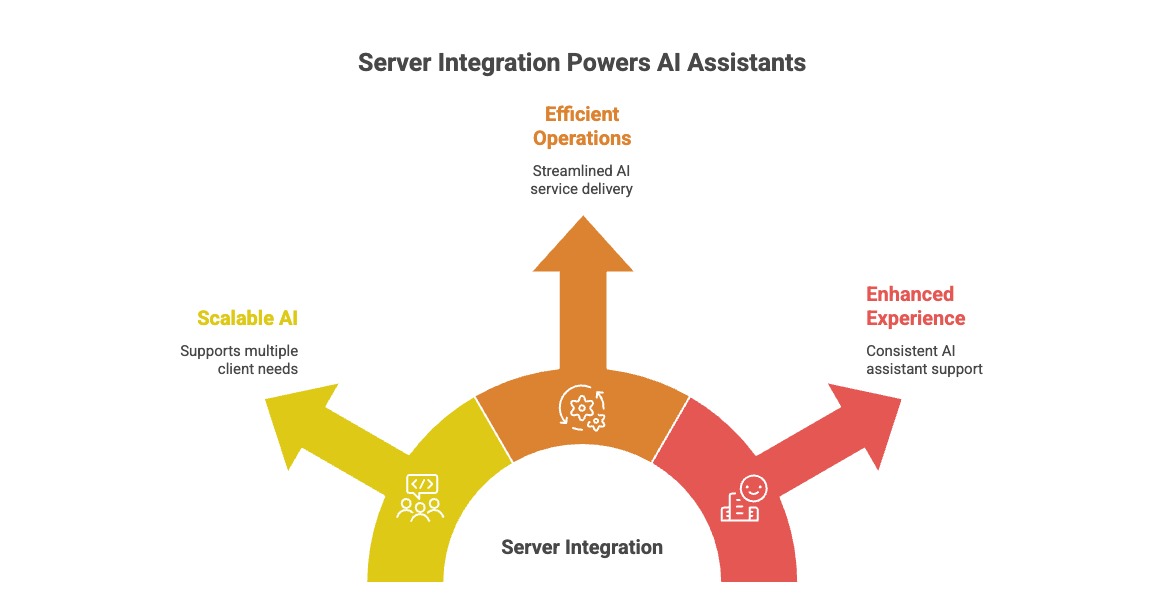
Once an LLM can read your ERP through MCP and answer from a grounded knowledge base, the wins show up fast. They're specific, not abstract.
Priya, an operations manager at a regional distributor, used to field the same question from her sales team every week: "is this SKU actually in stock at the warehouse closest to the customer?" Checking meant a login to the ERP, three screens, and a cross-reference against a shipping zone spreadsheet that lived in someone's inbox. Once her team's AI assistant could call an inventory-lookup tool directly, that three-screen process became one sentence typed into a chat window, answered in seconds, with the actual record cited.
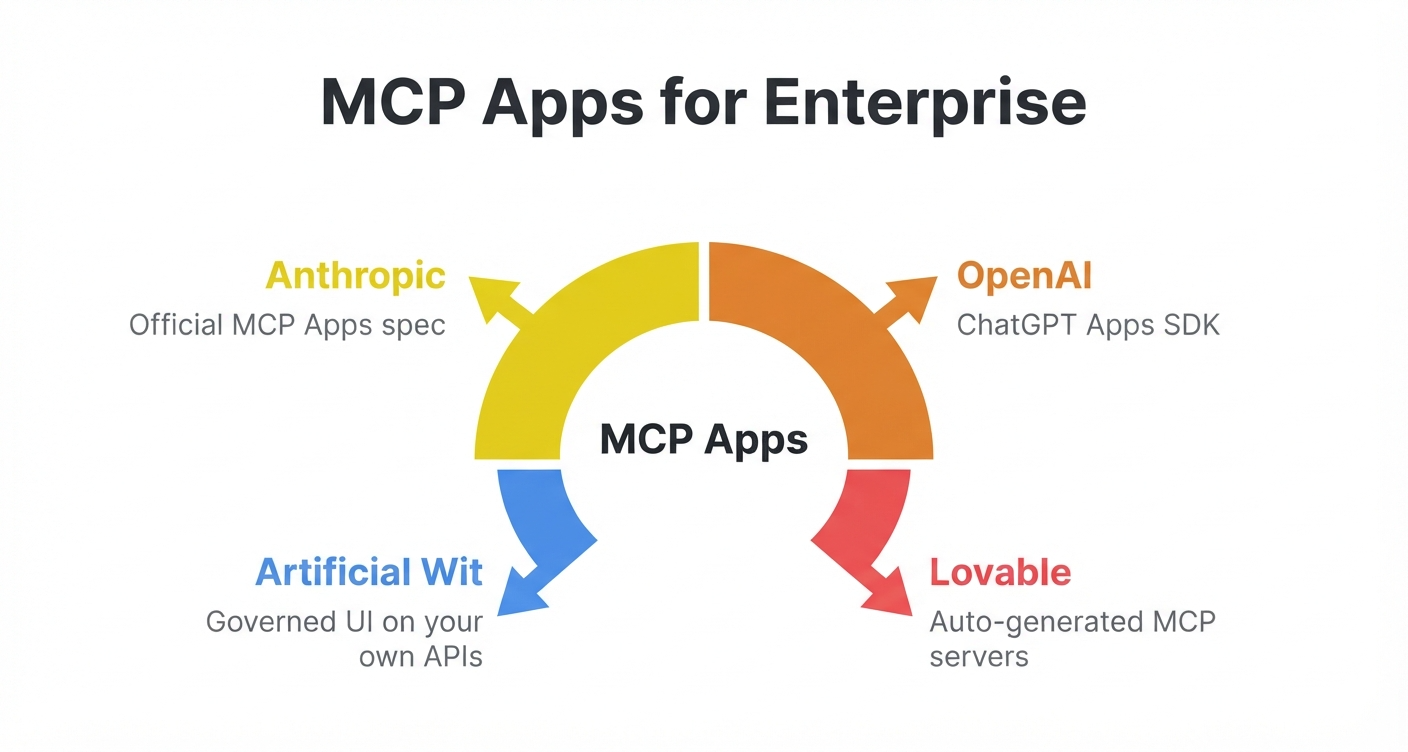
That answer doesn't have to come back as a sentence, either. The same tool call can render as a live artifact, a sortable inventory table Claude generates on the spot, built automatically from the tool's own input schema rather than a screen someone has to design.
That pattern repeats across functions: faster customer service because support doesn't tab between five systems, self-serve reporting because a manager can ask a question instead of filing a ticket to the BI team, and onboarding that doesn't depend entirely on the one person who's been there twelve years and remembers why a field is named what it's named.
AI-enabling SAP, Oracle, and Salesforce in practice
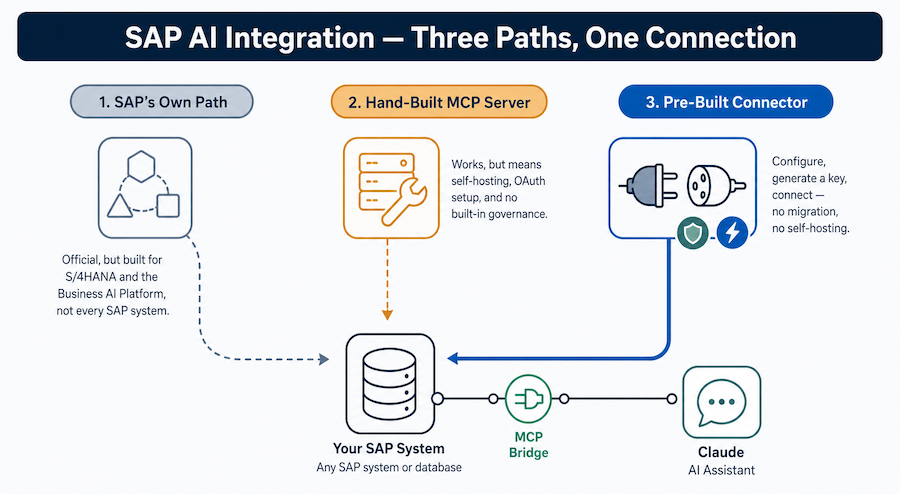
The specifics differ by system, but the shape of the work doesn't. SAP and Oracle deployments typically center on exposing exception queues and master data lookups, the transactions a human currently checks manually before approving something. For the SAP case specifically, including how it lines up with the 2026 SAP/Anthropic partnership news, see connecting Claude to SAP. Salesforce and NetSuite integrations lean more toward account and order status, since that data usually needs to reach support and sales teams, not just finance. In all four cases, the pre-built connector approach means the "expose" step is mostly configuration: point at the existing integration, confirm the operations you want surfaced, and move to describing them as tools.
None of this requires touching the underlying system of record. It stays exactly where it is, running exactly as it did before, with an AI-callable layer sitting alongside it.
How to get started without a migration project
You can pilot this in weeks, not quarters, if you start narrow.
- Pick one workflow, not a department. Exception handling, order lookup, or inventory checks are good starting points because they have a clear success condition.
- Expose the 5 to 10 operations that workflow actually needs, using a pre-built connector where one exists for your ERP.
- Describe them as MCP tools with clear names and schemas, so any AI client can call them correctly.
- Ground answers in the relevant SOPs or policy documents, not just raw transactional data.
- Set access control before launch, matching whatever role restrictions already apply to the humans who currently do this work.
Marcus ran this exact sequence for his distribution company's exception-handling workflow. Within three weeks, an AI assistant was checking flagged orders against the same business rules his team applied manually, citing the specific policy document for each decision. No migration, no parallel system, no multi-year project — just an API layer his team could point new tools at going forward.
Ready to see it working against your own ERP? Sign up free, no credit card required, and connect your first API to expose an operation as an MCP tool in minutes.
Frequently asked questions about AI-enabling a legacy ERP
Do I need to migrate my ERP to use AI on top of it? No. Wrapping your existing SAP, Oracle, Salesforce, or NetSuite system in an API and knowledge base layer gives you AI-powered natural-language access without moving any data or replacing the underlying system.
What's the risk of a full ERP replatforming project? Beyond the direct cost, replatforming projects commonly run over budget and over schedule. Misfits between the new system and existing workflows often surface only after the project is well underway, per Panorama Consulting's 2026 ERP Report.
Can AI read data directly from SAP or Oracle without custom integration work? Yes, for SAP, Oracle, Salesforce, and NetSuite specifically, pre-built connectors reduce the integration work to configuration rather than building an API wrapper from scratch.
How long does it take to AI-enable a legacy system? Most teams reach a working, governed tool call against their ERP in a few weeks when they start with one narrow workflow, compared to the 12 to 24 months typical of a full replatforming project.
Does this replace my ERP's existing access controls? No, and it shouldn't. The governance step should mirror the role-based permissions already enforced for human users, applied consistently to whichever agent or AI client is making the call.
The bottom line
Most ERPs aren't going anywhere, and that's fine. The four-step path — expose, describe, ground, govern — gets you AI-powered natural-language access to the system you already run, without the cost, risk, or multi-year timeline of a full migration. Start with one workflow, expose the handful of operations it actually needs, and you'll have a working tool call before a replatforming project would have finished its requirements-gathering phase.
Sign up free and connect your first API → No credit card required, and no migration project standing between you and AI-powered access to your ERP.
Related reading
Ready to put this into practice?
Talk to us about your stack