White Label AI Assistant Platform, Branded and Governed
A white label AI assistant platform you can rebrand instantly, with one access control model across all 8 resource types. See how it works, then try it free.
By Artificial Wit Team
By Artificial Wit Team. Last updated: July 6, 2026.
A white label AI assistant platform is one you can rebrand under your own name, logo, and colors. It should also govern exactly who can see which data. Rebranding is the easy half. Most vendors stop there. The governance question comes up only after the assistant is already live.
Owen led IT for a mid-size distribution company, and the rollout started well. His team swapped in their logo, renamed the assistant, and pointed the favicon at their own brand within an afternoon.
Three weeks later, a support rep asked the assistant a compliance question and got back an answer sourced from HR's restricted policy documents. The branding had gone perfectly. Nobody had checked whether the access model underneath it actually held.
This article covers what a white label AI assistant platform actually rebrands, how one consistent access control model can span every resource instead of just the chat window, and how multi-LLM configuration works without vendor lock-in.
- A white label AI assistant platform lets you rebrand the logo, name, colors, favicon, page titles, and social preview image, typically via environment variables, no code change required.
- Branding alone doesn't govern data access. A real platform applies one consistent Access Control model across all 8 resource types: Knowledge Items, Agents, LLM models, APIs, API Credentials, Global Variables, Users, and Pages.
- Each resource is either Public (any authenticated user) or Restricted (specific Roles and/or Users, shown as removable chips).
- Admins register multiple LLM providers and models, OpenAI, Anthropic, Azure, Gemini, local models, with per-model temperature, max tokens, active/inactive toggling, and access control per model.
- SSO and SCIM are not yet shipped; don't evaluate a white-label platform assuming either is available today.
What a White Label AI Assistant Platform Actually Rebrands
A white label AI assistant platform is one deployable under your own brand instead of a vendor's. In practice, that means a defined set of environment-variable-driven settings propagate everywhere the product appears: the top bar, the login page, the browser tab title, social share previews, and footers. This follows the same config-via-environment-variables principle widely used in modern software deployment, keeping brand identity out of the codebase entirely.
The rebrandable settings are specific, not vague:
| Setting | Where it shows up |
|---|---|
| Brand name and suffix | Top bar, login screen |
| Logo initial | Logo tile |
| Company name | Footer |
| Tagline | Under the logo on login |
| Product title | Browser tab, social preview |
| Description | Meta description for SEO/social |
| OG image | Social share preview |
| Favicon | Browser tab icon |
Ready to see your brand on it? Explore Artificial Wit's AI Assistant to preview what a rebranded deployment looks like.
One Access Control Model for Your White Label AI Assistant Platform
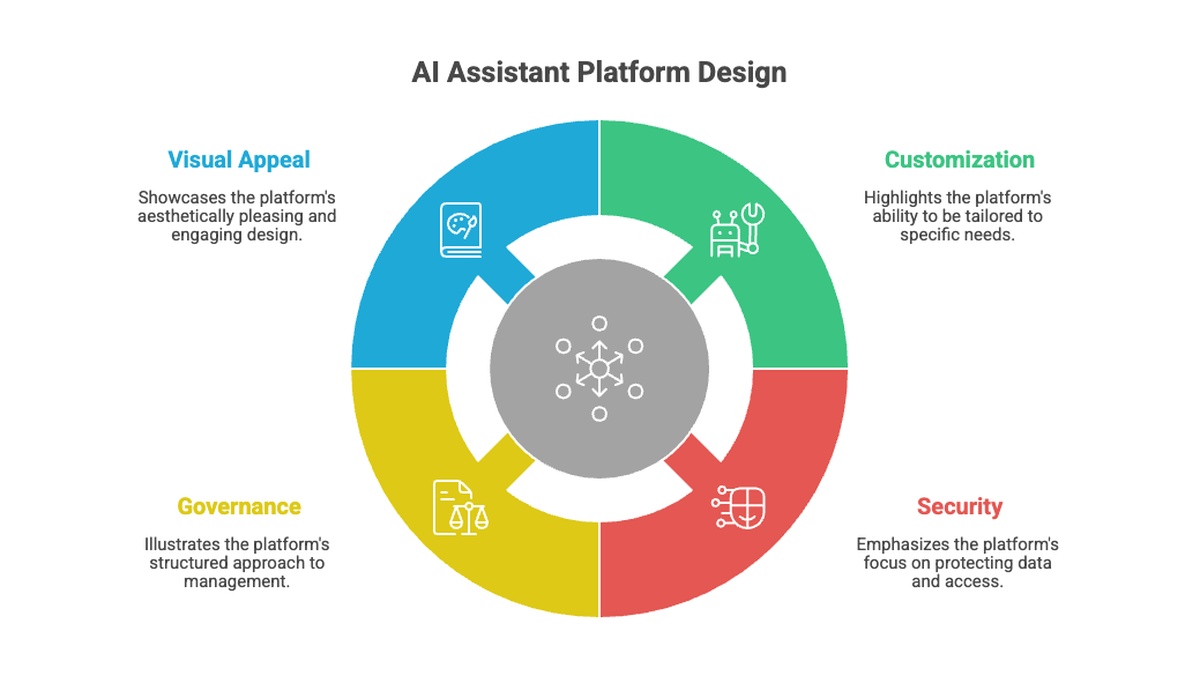
Rebranding an assistant doesn't automatically govern what it can access. That's a separate layer. It's the part Owen's team hadn't checked. A real white-label platform applies one consistent Access Control model across every resource type, not just the chat window.
There are exactly two states, applied consistently everywhere — a simpler shape than full role-based access control, but built on the same underlying idea: access follows a role, not an individual login.
- Public: any authenticated user can use the resource.
- Restricted: only selected Roles and/or Users can, shown as removable chips with a search box to find them quickly.
That same model applies to all eight resource types the platform manages: Knowledge Items, Agents, LLM models, APIs, API Credentials, Global Variables, Users, and Pages.
Once a business user learns Access Control on one screen, they already know how to use it on every other screen in the product. The interaction never changes.
For a support rep's question to accidentally surface a restricted HR document, someone has to have left that knowledge base set to Public. That's a configuration mistake the model makes visible and correctable, not a structural gap in what the platform can express.
Multi-LLM Configuration Without Vendor Lock-In
A branded AI chatbot for business that only supports one model provider forces a lock-in decision the branding itself was supposed to avoid. A white label AI assistant platform worth adopting lets admins register multiple providers — OpenAI, Anthropic, Azure, Gemini, local models — and control how each one behaves.
Registering Providers and Models
The LLM Configuration screen lets an admin register several providers and models side by side. For each one, you set the provider key, base URL, model name, temperature, and max tokens. Models can be marked active or inactive without deleting the configuration, useful when testing a new model before rolling it out.
Per-Model Access Control
The same Public/Restricted model applies here too. An admin can restrict a specific LLM model to certain roles, for example, keeping an experimental or more expensive model limited to an internal testing team while the broader organization uses a stable, approved model.
Want to configure this for your own team? Sign up free, no credit card required, and register your first LLM provider in minutes.
Example: Branding and Governing an Internal Assistant Across Departments
Nadia ran operations for a professional services firm rolling out an internal assistant across three departments: HR, product, and compliance. Each needed its own knowledge base — HR Policies, Product Catalog, and Compliance — and none of them were supposed to see each other's documents.
Branding took an afternoon: logo, name, and favicon set once, applied everywhere. The access control took longer, deliberately.
Nadia set the HR Policies knowledge base to Restricted, limited to the HR role. Product Catalog stayed Public, since every employee needed product answers. Compliance went Restricted to a small named list of users, not a role, since the group reviewing it changed department by department.
Six weeks in, an audit of who-asked-what confirmed the restrictions held. No compliance document had ever been returned to someone outside that named list.
When Nadia later needed to restrict one of the newer LLM models to just her IT team for testing, she used the exact same interface pattern she'd already learned on knowledge bases. No new screen to figure out.
Why This Matters: Branding Without Losing Control
The core tension any white label AI assistant platform has to resolve is that branding and governance are two different problems. Most vendors marketing a branded AI chatbot for business solve for the first while treating the second as an afterthought. Artificial Wit's approach ties both together: the same environment-variable rebrand that changes a logo doesn't touch or weaken the Access Control model sitting underneath it.
| Branding-only white-label tools | Governed white-label platform | |
|---|---|---|
| Logo, name, colors | Rebrandable | Rebrandable |
| Per-resource access control | Often chat-level only | Public/Restricted on 8 resource types |
| Multi-LLM support | Usually single-provider | Multiple providers, per-model access control |
| Adding a new resource type | May need a new permissions setup | Same Public/Restricted pattern every time |
| SSO / SCIM | Varies by vendor | Not yet shipped, confirm before assuming |
That consistency matters more as an organization scales past one department. Adding a fourth knowledge base, a new LLM model, or a new API tool doesn't mean learning a new permissions system. It means applying the same Public/Restricted choice that already governs everything else.
IT teams evaluating this shouldn't need to take a vendor's word for "enterprise-grade security." The actual capability is a single, named model applied to eight specific resource types, not a marketing claim.
One honest limitation worth stating plainly: SSO and SCIM aren't shipped yet. If your rollout depends on either, that's a real gap to plan around today, not a claim to expect from this platform. Read more about how Artificial Wit handles enterprise security to see the current state before you evaluate.
Where This Fits With Agents and Tools
A branded, governed assistant isn't limited to answering from a knowledge base. The same Access Control model extends to the agents and tools your team configures on top of it.
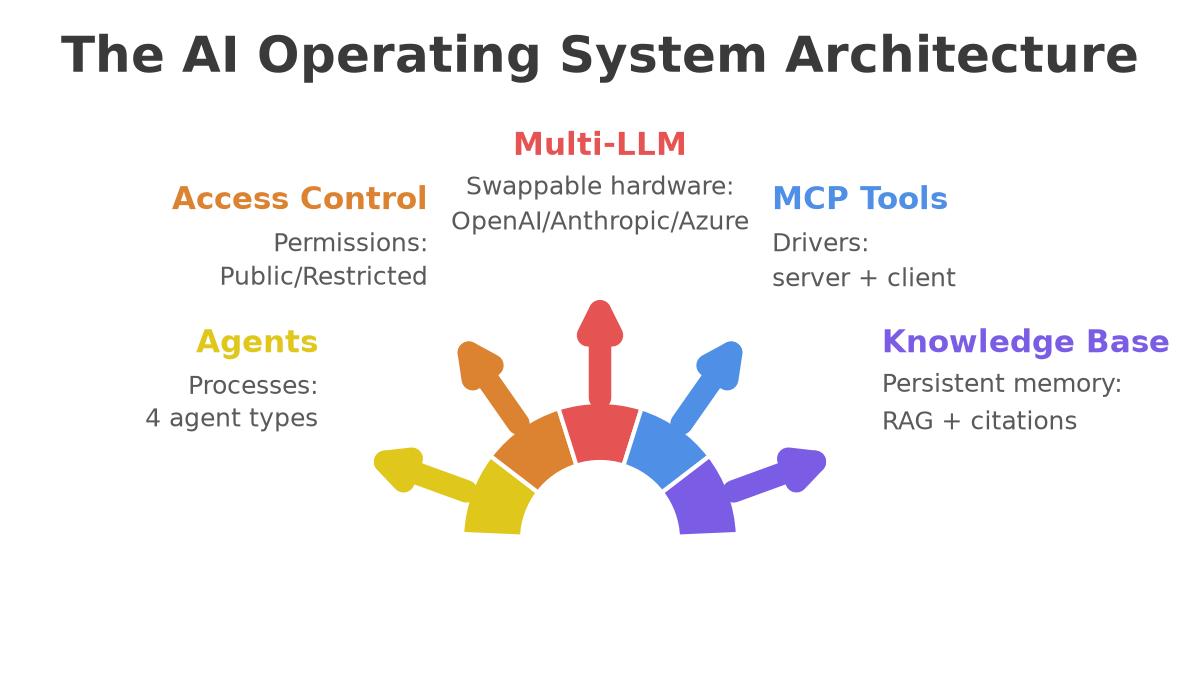
Each agent runs as one of four types, Standard for single-turn answers, Sequential for multi-step workflows, Parallel for concurrent steps, or Loop for repeating tasks until a condition is met. An agent's tool assignments determine what it can do, and those tools can render as live, dynamically generated UI instead of plain text, a form for submitting a request, a table for reviewing results.
None of that changes how access control works. A Restricted agent stays restricted to its assigned roles regardless of which tools it calls or how its output renders. Branding, agent type, and tool assignment are three separate configuration choices. Access Control applies the same way underneath all three.
Getting Started: Brand Your White Label AI Assistant Platform
- Set your brand environment variables. Name, logo initial, company name, tagline, product title, description, OG image, and favicon, no code change required.
- Register your LLM providers and models. Add each provider's key and base URL, set temperature and max tokens per model, and mark which ones are active.
- Set Access Control on each resource as you create it. Knowledge bases, agents, APIs, and models each get the same Public/Restricted choice, applied at the point you configure them.
Most teams get a branded, access-controlled assistant running in a single working session, branding and governance configured together, not as two separate projects. Explore Artificial Wit's AI Assistant to see the full configuration flow before you start.
Frequently Asked Questions
What is a white-label AI assistant?
A white-label AI assistant is an AI chat platform you can rebrand under your own name, logo, and colors, typically through environment variables rather than custom code, while the underlying platform (chat, knowledge base, agents) stays the same.
Can one AI assistant platform support Claude, GPT, and Gemini at once?
Yes. A multi-LLM configuration screen lets admins register multiple providers and models side by side, OpenAI, Anthropic, Azure, Gemini, or local models, each with its own settings and access control.
Can admins restrict which roles can use which LLM model?
Yes. The same Public/Restricted access control model that applies to knowledge bases and agents applies to registered LLM models, so a specific model can be limited to certain roles or users.
Does the same permission model apply to knowledge bases, agents, and APIs?
Yes. One consistent Access Control model, Public or Restricted with roles/users as removable chips, spans all eight resource types: Knowledge Items, Agents, LLM models, APIs, API Credentials, Global Variables, Users, and Pages.
How do enterprise AI assistants handle sensitive data access?
By applying access control at the resource level rather than trusting broad, vague permissions. Each knowledge base, agent, or API can be restricted to specific roles or named users, so sensitive documents stay visible only to who's supposed to see them.
Brand It, Govern It, Ship It
A white label AI assistant platform earns its name twice: once for how it looks, and once for how carefully it controls what it can access. Owen's team got the first half right in an afternoon. Getting the second half right is what actually determines whether the rollout survives its first audit. Branding is what a reviewer sees first — access control is what they check next.
Nadia's team proved the model holds across three departments and multiple sensitivity levels, using the exact same Public/Restricted choice for a knowledge base, an LLM model, or an API tool. Nothing about the interface changed as the number of resources grew, and nothing about the branding had to compromise on that.
Sign up free, no credit card required, and brand your first AI assistant while keeping every resource governed from day one.
Related reading
Ready to put this into practice?
Talk to us about your stack