Agentic AI for Enterprise: A Practical Guide
Agentic AI for enterprise means AI that takes multi-step action, not just answers. See real use cases, why most pilots stall, and how to roll it out today.
By Artificial Wit Team
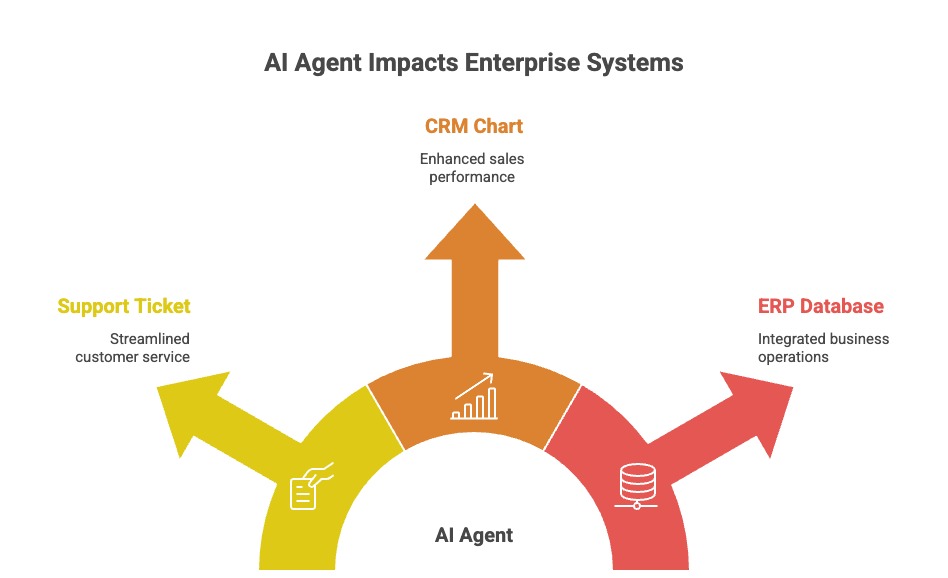
Agentic AI for enterprise means AI systems that don't just answer questions, they take multi-step action inside the systems you already run, using assigned tools, defined permissions, and a workflow (sequential, parallel, or looping) that a human can still audit at every step. That's the whole distinction in one sentence. It's the difference between a chatbot your team tolerates and an assistant that actually finishes work.
Priya Nair spent every Tuesday morning the same way: cross-referencing renewal dates in her insurance brokerage's aging Guidewire policy system against a shared spreadsheet, flagging anything expiring within 30 days. One morning in June, it took her three hours to catch a $180,000 renewal that had already lapsed nine days earlier. Nobody had missed a step. The process itself just couldn't keep up.
That's the gap agentic AI is built to close. Your team spends too much time on lookups, cross-referencing, and handoffs between systems that don't talk to each other. You already know that.
This guide covers four things: what agentic AI actually is, where it earns its keep in enterprise workflows, why so many pilots stall before they scale, and how to roll it out without a re-platforming project.
- Agentic AI means multi-step task execution through tool calling, not single-turn question answering, that's the defining technical difference from a chatbot.
- Gartner predicts 33% of enterprise software will include agentic AI by 2028, up from less than 1% in 2024.
- McKinsey's 2025 State of AI survey found 62% of organizations are experimenting with AI agents, but only 23% are scaling one in any business function, and just 7% have scaled enterprise-wide.
- The gap between experimenting and scaling comes down to orchestration and governance, not model quality — sequential, parallel, and loop workflows with role-based access control close it.
- Rolling out agentic AI doesn't require replacing your ERP, CRM, or support stack. It requires exposing the APIs that matter as tools an agent can call.
What is agentic AI for enterprise?
Agentic AI for enterprise is AI that can call tools, take a sequence of actions, and pursue a goal across multiple steps, rather than just generating a single response to a single prompt. A support chatbot that answers "what's your return policy?" from a document is generative AI. An agent that looks up an order, confirms it's eligible, issues the return in your system, and emails the customer a confirmation is agentic AI.
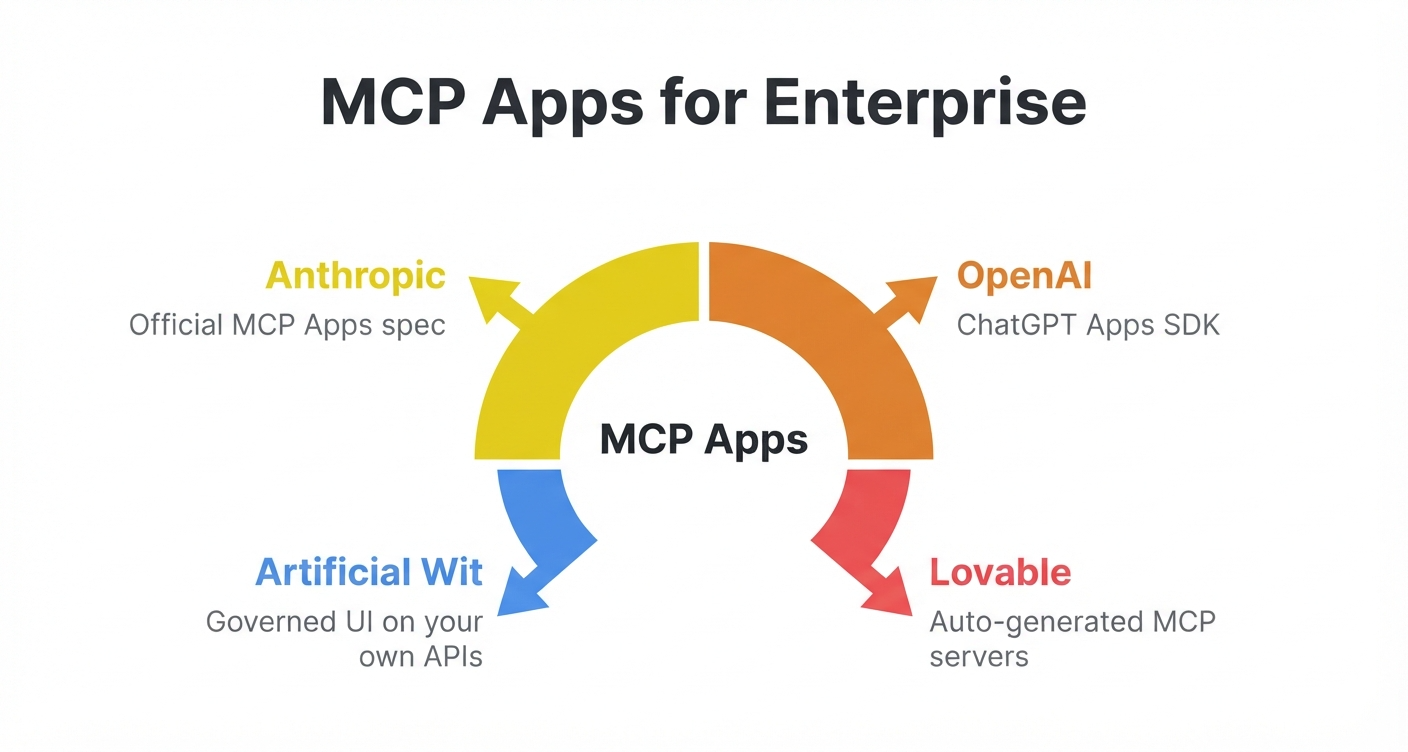
The mechanism that makes this possible is tool calling: the model gets a list of available actions (check inventory, update a record, send an email) along with a description of when to use each one, and it decides which to call and in what order. Model Context Protocol (MCP) has become the standard way to expose those tools consistently across different AI clients, so the same agent logic works whether it's running in Claude, a custom internal app, or another MCP-compatible orchestrator. Read more in our guide to what an MCP server actually does, or see Artificial Wit's MCP server if you're ready to expose your own APIs as tools.
Agentic AI vs. chatbots: what actually changes
The AI agent vs chatbot confusion is understandable, since both are often a text box on a screen. What's different is what happens after the user hits enter.
| Chatbot | AI agent | |
|---|---|---|
| Output | A generated answer | A completed action or sequence of actions |
| Data access | Usually one knowledge base | Multiple tools and systems, permission-scoped |
| Workflow | Single turn, no memory of steps | Multi-step, can run sequentially, in parallel, or loop until a condition is met |
| Failure mode | Gives a wrong or vague answer | Can take a wrong action, so it needs guardrails |
| Best for | FAQs, definitions, simple lookups | Order processing, exception handling, multi-system workflows |
That last row matters most to enterprise buyers. An agent can take action, not just talk. That means it needs role-based access control and an audit trail — the same governance IT already applies to human employees. Artificial Wit's Configurable AI Agents are built around that assumption from the start, with permissions set per agent and per tool instead of one shared credential for everything.
Ready to see the difference in your own systems? Sign up free, no credit card required, and connect your first API to compare a plain Q&A bot against an agent that can actually complete a task.
Real agentic AI use cases for the enterprise
AI agents for business earn their budget fastest in workflows that are repetitive, span more than one system, and have a clear success condition an agent can check before acting.
Customer support: resolution, not just answers
Marcus managed a 200-agent support team that piloted a single-agent chatbot in 2025. It answered FAQs well. But it couldn't process a return or escalate a billing dispute, so his agents still did the real work by hand. The pilot got shelved after six months, not because the AI gave wrong answers, but because it never touched the systems where the work actually happened. A true agentic setup pulls from product docs, ticket history, and CRM data, then takes the next step: issuing a refund, updating a ticket status, or routing to a specialist.
Sales and revenue operations
An enterprise AI copilot for sales, pulling live pipeline data, can summarize account risk, flag stalled deals, and draft a follow-up email in one pass, replacing a Friday afternoon spent manually pulling CRM reports. Because the agent calls the CRM's API directly, the summary reflects this morning's data, not last week's dashboard export.
ERP and legacy system workflows
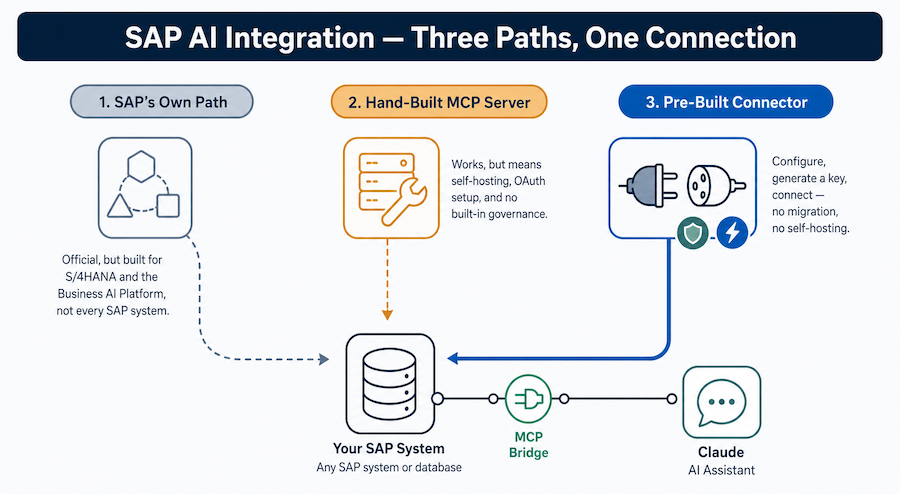
Enterprise resource planning systems hold the data agentic AI is often built to act on: purchase orders, inventory levels, exception queues. An agent can check an exception in your ERP, apply a documented business rule, and log the resolution, all without anyone touching the underlying SAP or Oracle system directly. This is the same "wrap it, don't replace it" approach covered in how to AI-enable a legacy ERP without re-platforming.
Compliance and document review
Contract and SOW comparison, policy extraction, and audit-trail generation are naturally sequential: read the document, extract clauses, compare against a standard, flag exceptions, log the result. Each step has a clear pass/fail condition, which is exactly the kind of task a Sequential agent handles well.
Sequential, parallel, and loop agents: how enterprise workflows actually run
Most agentic AI explainers stop at "the AI decides what to do," which undersells how much control enterprise teams actually need over how an agent executes. In practice, agent workflows fall into four patterns:
- Standard: single-turn, one prompt in, one action or answer out. Good for simple lookups.
- Sequential: steps run in a fixed order, each one depending on the last, like the compliance review above (extract, compare, flag, log).
- Parallel: independent steps run at the same time, then results get combined — the multi-agent orchestration pattern useful when an agent needs to check inventory, shipping cost, and customer history simultaneously instead of one after another.
- Loop: the agent repeats a step until a condition is met, such as retrying a failed API call or monitoring a queue until it's empty.
Naming the pattern up front changes how a workflow gets configured and audited. Say a support agent is supposed to run Sequentially, but it calls a refund tool twice by mistake. With a named pattern, that's a bug you can catch. With an unstructured "just figure it out" agent, the same failure is much harder to diagnose. Anthropic's own engineering team makes a similar case for keeping agent architecture simple and explicit, rather than defaulting to open-ended autonomy. It's worth a watch if you're deciding how much structure to put around your own agents.
Want to configure your first Sequential or Parallel agent? Explore Artificial Wit's agent types →
Why most agentic AI pilots stall before they scale
The enterprise data on agentic AI right now tells a two-sided story. Growth is real, but so is a wide gap between piloting and actually scaling:
- 33% of enterprise software will include agentic AI by 2028, up from less than 1% in 2024 (Gartner, 2025).
- 15% of day-to-day work decisions will be made autonomously through agentic AI by 2028, per the same Gartner forecast.
- Over 40% of current agentic AI projects will be canceled by the end of 2027, due to rising costs, unclear business value, or weak risk controls.
- 62% of organizations are experimenting with AI agents today, but only 23% are scaling one in any single business function, and just 7% report agentic AI fully scaled enterprise-wide (McKinsey, 2025).
That gap between experimenting and scaling rarely comes down to the model itself. It comes down to governance. Who can configure an agent? Which tools can it call? What happens when it's wrong? Can anyone audit what it did afterward? Pilots that skip these questions tend to impress in a demo, then stall the moment security or compliance asks how access is controlled.
How to roll out agentic AI without a rebuild
You don't need to replace your ERP, CRM, or support platform to get agentic AI working against them. You need to expose the specific operations that matter as tools an agent can call, then govern who and what can call them.
- Identify the workflow, not the department. Start with one repetitive, well-defined task (renewal tracking, return processing, exception handling), not "AI for support" broadly.
- Expose the relevant APIs as tools. Most enterprise systems already have a REST or GraphQL API; the work is describing 10 to 30 operations clearly enough for an agent to call correctly, not rebuilding the system.
- Choose the right workflow pattern. Sequential for ordered steps, Parallel for independent checks, Loop for anything that repeats until done.
- Set role-based access before launch. Decide which data and actions the agent can touch, matching the access the requesting human user already has, not broader.
- Watch the audit trail for the first month. Review what the agent actually did, not just whether it produced a plausible-looking answer.
The team at Meridian Logistics followed roughly this path. They configured a Sequential agent that checks a shipment exception in their 15-year-old warehouse management system, drafts a customer notification, and logs the resolution in Salesforce automatically. Manual exception handling that used to take an operator about 25 minutes now takes under 3, and nobody touched the warehouse system's underlying code to make it happen.
Ready to connect your first workflow? Sign up free and turn an existing API into an agent tool in minutes, or see how teams use Artificial Wit across support, sales, and ERP use cases.
Frequently asked questions about agentic AI for enterprise
What is agentic AI in simple terms? Agentic AI is AI that can take multi-step actions using tools, not just generate a text answer. Instead of only telling you what to do, it can look something up, make a decision based on a rule, and complete the next step itself.
How is agentic AI different from generative AI? Generative AI produces content (text, summaries, answers) from a prompt. Agentic AI uses that same underlying model but adds tool calling and a workflow, so it can act on systems, not just describe what a person should do next.
Can AI agents take actions, not just answer questions? Yes. That's the defining feature. An agent with the right tools and permissions can update a record, send a notification, or check inventory, the same way a human employee with system access would, just faster and more consistently.
How do you control what data an AI agent can access? Through role-based access control scoped per agent and per tool. A well-configured agent only sees and can act on what the requesting user is already authorized to see, the same governance model applied to human employees.
What are real-world agentic AI use cases in enterprise? Support ticket resolution, sales pipeline summaries pulled live from CRM data, ERP exception handling without touching the underlying system, and sequential contract or compliance document review are among the most common starting points.
Do I need to migrate my ERP or CRM to use agentic AI? No. Agentic AI works by calling the APIs your existing systems already expose. The system stays exactly where it is; the agent gets a defined, permissioned way to read from and act on it.
Getting started with agentic AI in your enterprise
Agentic AI for enterprise isn't about replacing your team with autonomous software. It's about giving repetitive, multi-system workflows an assistant that can actually finish the task, not just describe it. The data backs a measured approach: real growth is coming (33% of enterprise software by 2028, per Gartner), but most pilots that skip governance stall before they scale (only 7% of organizations report agentic AI fully scaled today, per McKinsey).
Start narrow. Pick one workflow, expose the APIs it actually needs, choose Sequential, Parallel, or Loop based on how the steps naturally run, and set access control before anyone outside your team touches it. That's a smaller project than it sounds, and it doesn't require a rebuild of anything you already run.
Sign up free and connect your first API → No credit card required, and no migration project standing between you and a working agent.
Related reading
Ready to put this into practice?
Talk to us about your stack